
For many MacBook Pro users, an external backlit keyboard is not a luxury accessory; it is a practical part of a reliable workstation. Whether you are editing video late at night, writing code in a dim office, managing spreadsheets, or docking your MacBook Pro to a monitor, the right keyboard can improve comfort, accuracy, and workflow consistency. The best options combine Mac specific layout support, dependable backlighting, strong build quality, and a typing feel that suits long sessions.
TLDR: The best backlit keyboards for MacBook Pro users are those that offer native macOS keys, adjustable illumination, stable connectivity, and a comfortable typing profile. For most users, the Logitech MX Keys S for Mac is the safest all around choice, while the Apple Magic Keyboard remains the cleanest option for those who prioritize native Apple integration. Mechanical keyboard users should look closely at Keychron, especially if they want customization, stronger key travel, and multiple device support.
What MacBook Pro Users Should Look For
Before choosing a keyboard, it is important to decide what matters most in your setup. A keyboard that works well for a programmer may not be ideal for a designer, and a compact travel keyboard may not be suitable for someone who works all day at a desk. MacBook Pro users should pay particular attention to macOS compatibility, because not every keyboard handles Command, Option, brightness, Mission Control, and media keys cleanly.
- Mac layout: Look for dedicated Command and Option keys, plus function row behavior that matches macOS expectations.
- Backlighting quality: Good backlighting should be adjustable, even, and useful without being distracting.
- Connectivity: Bluetooth is convenient, but USB wired mode can be better for low latency and reliability.
- Battery life: Backlighting drains power faster, so check realistic battery estimates with lights enabled.
- Typing feel: Low profile scissor switches feel familiar to MacBook users, while mechanical switches offer more travel and tactile feedback.
- Desk space: Full size keyboards include a number pad; compact models save space and promote a more centered posture.

1. Logitech MX Keys S for Mac
The Logitech MX Keys S for Mac is one of the strongest recommendations for MacBook Pro users who want a serious, dependable keyboard without moving into enthusiast territory. It has a Mac focused layout, smart backlighting, solid wireless performance, and a low profile typing feel that many Mac users adapt to quickly.
The keyboard’s backlighting is particularly useful because it activates when your hands approach and adjusts based on ambient lighting. This makes it feel polished rather than gimmicky. The keys have a stable, slightly concave surface that helps guide your fingers, and the overall build feels more substantial than many thin wireless keyboards.
Best for: professionals who want a premium, quiet, low profile keyboard for daily productivity.
Considerations: It is not mechanical, and users who prefer deeper key travel or strong tactile feedback may find it too restrained. Battery life is excellent with backlighting off, but notably shorter with the illumination used heavily.
2. Apple Magic Keyboard
The Apple Magic Keyboard is the most natural match for a MacBook Pro from a software and design standpoint. It offers seamless pairing, excellent macOS function key support, and a typing feel that closely resembles Apple’s current laptop keyboards. For users who value simplicity, stability, and a clean desktop, it remains one of the most trustworthy choices.
However, buyers should be aware of an important limitation: standard Apple Magic Keyboard models do not offer traditional adjustable key backlighting like the MacBook Pro’s built in keyboard. This means it is best suited for users who work in reasonably lit environments or prioritize Apple integration over illuminated keys. If backlighting is a strict requirement, this may not be the strongest pick despite its excellent macOS experience.
Best for: users who want the most Apple like typing experience and do not require external keyboard backlighting.
Considerations: Lack of backlighting is the main drawback in the context of this category. It is still worth mentioning because many MacBook Pro users compare every external keyboard against it.
3. Keychron K3 Pro
The Keychron K3 Pro is a strong option for MacBook Pro users who want a compact, low profile mechanical keyboard with backlighting and customization. It includes Mac keycaps, works with macOS, and supports both Bluetooth and wired connections. The compact layout saves desk space while still providing a useful function row.
Mechanical keyboards are often associated with bulk, but the K3 Pro keeps a slimmer profile that makes the transition from a MacBook keyboard easier. Depending on the switch option, it can feel quiet and smooth or more tactile and responsive. For users who type for long stretches, that extra feedback can reduce fatigue and improve confidence.
Best for: writers, developers, and professionals who want a portable mechanical keyboard with Mac support.
Considerations: Mechanical keyboards require more personal preference testing than standard low profile keyboards. Switch choice matters, and some configurations may be louder than expected in shared spaces.
4. Keychron K2 Pro
The Keychron K2 Pro is slightly taller and more traditional than the K3 Pro, but it is one of the most versatile backlit mechanical keyboards for MacBook Pro users. It offers a compact 75 percent layout, meaning it keeps function keys and arrow keys while avoiding the width of a full size board. For many desk setups, this is a practical balance.
The K2 Pro is especially appealing because it often supports hot swappable switches, depending on the version, and can be customized through firmware tools. That makes it a better long term keyboard for users who like to refine their setup. Its backlighting options are clear and visible, and its Mac compatibility is much better than many generic mechanical boards.

Best for: MacBook Pro users who want a durable mechanical keyboard with room for customization.
Considerations: Its taller body may require a wrist rest for best ergonomics. It is also heavier and less travel friendly than slimmer alternatives.
5. Satechi Slim X3 Bluetooth Backlit Keyboard
The Satechi Slim X3 is designed with Apple users clearly in mind. It has a familiar aluminum look, a full size layout with number pad, and backlit keys that make it more useful in dim environments than Apple’s own external keyboards. For MacBook Pro users who work with finance, data entry, spreadsheets, or editing shortcuts, the number pad can be a major advantage.
The Slim X3 supports multiple Bluetooth device connections, which is valuable if you move between a MacBook Pro, iPad, and another desktop machine. It also includes macOS shortcut keys and a slim profile that looks appropriate next to Apple hardware.
Best for: users who want a full size, Apple style keyboard with backlighting and a number pad.
Considerations: The typing feel is slim and laptop like, not mechanical. Some users may prefer Logitech’s software ecosystem or Keychron’s deeper customization.
6. Logitech MX Mechanical Mini for Mac
The Logitech MX Mechanical Mini for Mac is a compelling middle ground between productivity keyboards and mechanical enthusiast boards. It provides a compact Mac layout, smart illumination, and low profile mechanical switches. For users who like the MX Keys concept but want a more responsive mechanical feel, this is a serious alternative.
The backlighting is refined, with automatic activation and brightness adjustment. The compact layout keeps the mouse closer to the keyboard, which can improve shoulder comfort during long work sessions. Logitech’s multi device switching is also among the best available, making it suitable for users who operate across several systems.
Best for: professionals who want a compact, wireless, low profile mechanical keyboard with polished software support.
Considerations: It costs more than many compact boards, and the low profile mechanical feel may not satisfy users who prefer full height switches.
7. Das Keyboard MacTigr
The Das Keyboard MacTigr is a premium wired mechanical keyboard made specifically for Mac users. It has a serious, professional build, dedicated Mac keys, and a full size layout. For users who prefer a fixed desk workstation and want the reliability of a wired connection, it is worth considering.
That said, it is important to note that not every version or user expectation around illumination aligns with the broader backlit keyboard category. Buyers should verify the exact model specifications before purchasing, especially if adjustable backlighting is essential. Its main strengths are build quality, Mac specific design, and typing feel rather than flashy lighting.
Best for: users who want a premium wired mechanical keyboard for a permanent MacBook Pro desk setup.
Considerations: It is expensive, not highly portable, and may not be the best choice if wireless flexibility is important.
How to Choose the Right Keyboard for Your Workflow
The best choice depends less on the brand and more on how you actually use your MacBook Pro. A video editor working at a large monitor may benefit from a full size keyboard with a number pad and stable shortcuts. A developer may prefer a compact mechanical board that leaves more room for a mouse or trackpad. A frequent traveler may want a slim keyboard that can move easily between locations.
- If you want the safest all around option: choose the Logitech MX Keys S for Mac.
- If you want Apple simplicity: choose the Apple Magic Keyboard, but only if backlighting is not mandatory.
- If you want compact mechanical keys: choose the Keychron K3 Pro or Logitech MX Mechanical Mini for Mac.
- If you want more customization: choose the Keychron K2 Pro.
- If you need a number pad: choose the Satechi Slim X3 or a full size Logitech option.
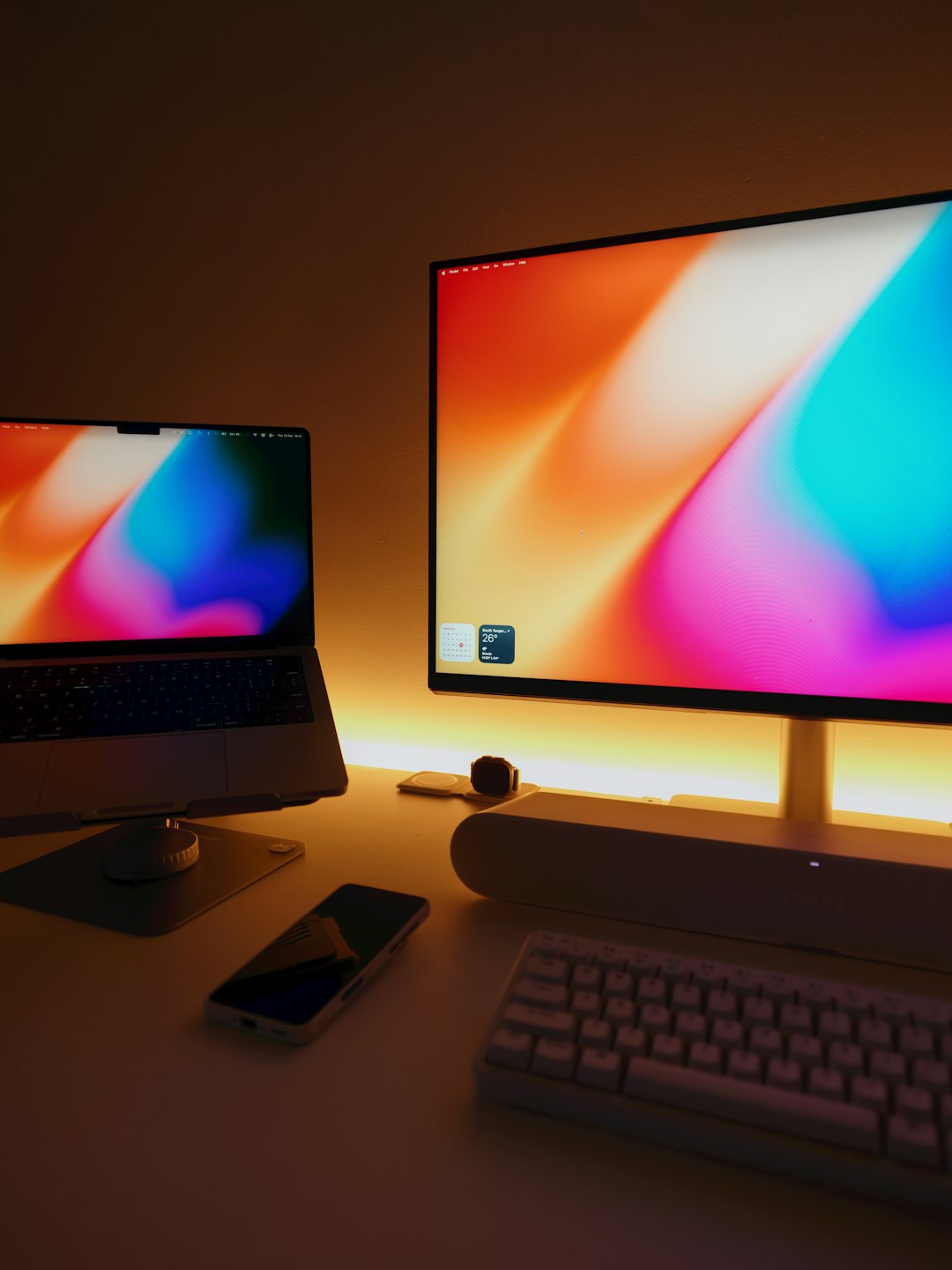
Backlighting: Useful Feature or Distraction?
Backlighting is valuable when it is implemented well. It helps in low light, supports visual orientation, and makes a workstation easier to use at night. However, excessive lighting effects can become distracting, especially in professional environments. For MacBook Pro users, the best backlighting is usually clean, adjustable, and subtle.
White backlighting tends to look more professional and pairs well with Apple hardware. RGB lighting is not inherently bad, but it should be easy to set to a neutral color. If you work in an office, shared studio, or client facing environment, understated illumination is usually the better choice.
Final Recommendation
For most MacBook Pro users, the Logitech MX Keys S for Mac is the top recommendation because it offers the best balance of typing comfort, Mac compatibility, intelligent backlighting, and everyday reliability. It feels mature, professional, and practical for a wide range of workflows. If you prefer mechanical keys, the Keychron K3 Pro is the better compact choice, while the Keychron K2 Pro is better for users who want a more customizable long term setup.
The right keyboard should make your MacBook Pro feel more capable, not more complicated. Prioritize a Mac friendly layout, dependable connectivity, and backlighting that supports your work rather than calling attention to itself. A well chosen external keyboard can make long sessions more comfortable, improve accuracy, and turn a MacBook Pro into a more effective desktop workstation.