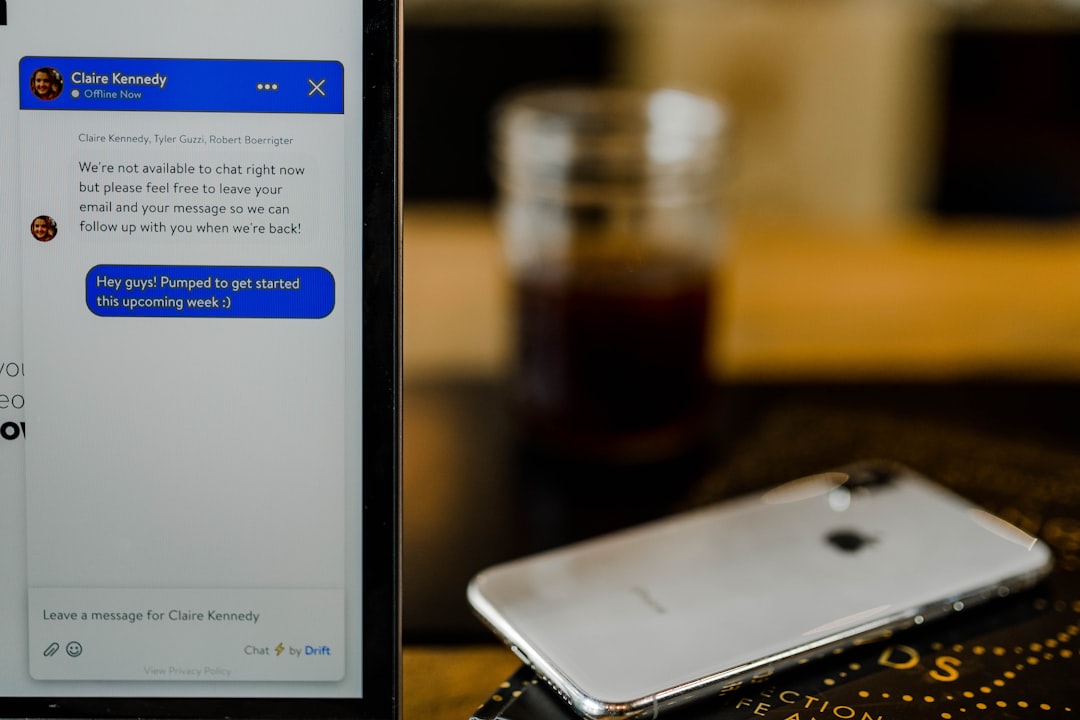
An HR chat bot cuts repetitive HR work by answering common employee and candidate questions instantly, then routing only complex cases to the right person. It can support recruiting, onboarding, benefits, policy questions, time-off requests, document collection, and routine workflow updates from one chat interface.
TLDR: An HR chat bot acts like a 24/7 front desk for human resources. For example, a 600-person company that receives 1,200 HR tickets per month could automate 55% to 70% of basic requests, such as PTO balance checks, benefits questions, and onboarding reminders. That may save 80 to 120 HR hours monthly while giving employees answers in seconds instead of days. The best results come when the bot connects with HRIS, payroll, recruiting, and knowledge base systems.
What Is an HR Chat Bot?
An HR chat bot is software that answers HR-related questions and completes simple tasks through chat. It may live in Slack, Microsoft Teams, a company intranet, a careers page, or a mobile app. Some bots use fixed scripts. More advanced tools use AI to understand natural language and pull answers from approved HR content.
The goal is not to replace HR staff. The goal is to remove the repetitive work that buries them. It drives people crazy when a skilled HR manager spends half the morning answering “Where can someone find the dental plan?” for the tenth time. A chat bot can handle that in three seconds.
How HR Chat Bots Automate Employee Support
Employee support is the most common use case. Staff members often ask the same questions again and again. An HR bot can answer them without forcing anyone to search through a 40-page handbook.
Typical employee support questions include:
- “How many vacation days are left?”
- “Where is the parental leave policy?”
- “How does remote work approval work?”
- “Who approves expense claims?”
- “When is the next payroll date?”
When connected to an HRIS, the bot can give personalized answers. For example, it can show an employee’s available PTO balance, explain eligibility for a benefit, or send a link to the right form. If the question deals with a sensitive issue, the bot can create a private HR case and send it to the proper person.
Recruiting Questions and Candidate Support
Recruiting teams often lose hours answering basic candidate questions. A careers-page chat bot can respond at any hour, including weekends. That keeps applicants engaged while recruiters focus on interviews and hiring decisions.
An HR recruiting bot can answer questions about:
- Open roles and locations
- Salary ranges, where allowed
- Application status
- Interview steps
- Required documents
- Company culture and work model
It can also collect screening details. For example, it may ask whether a candidate has a required certification, work authorization, or availability for a shift. The bot can then update the applicant tracking system and alert a recruiter when a strong candidate appears.
Honestly, it feels wasteful when a recruiter has to copy and paste the same interview instructions 60 times a week. A bot can send directions, calendar links, parking notes, video call details, and reminder messages without the recruiter lifting a finger.
Onboarding Support for New Hires
Onboarding is packed with small steps. New hires need forms, logins, policy details, training links, equipment updates, and answers to awkward first-week questions. A chat bot can guide them through each step.
For example, the bot can send a first-day checklist automatically:
- Complete tax and payroll forms.
- Upload identification documents.
- Review the employee handbook.
- Choose benefits, if eligible.
- Book orientation sessions.
- Confirm equipment delivery.
The bot can also remind hiring managers to complete their side of onboarding. That includes assigning a buddy, setting up system access, preparing a 30-day plan, and scheduling check-ins.
This matters because weak onboarding costs money. If a new employee waits two days for system access, productivity drops before the job has even started. A chat bot does not fix every issue, but it does reduce the number of missed steps.
Benefits Information Without the Back-and-Forth
Benefits questions are often urgent. Employees want clear answers about medical plans, dental coverage, dependents, life insurance, retirement contributions, wellness programs, and open enrollment deadlines.
An HR chat bot can explain benefits in plain language. It can compare plan options, send provider links, define terms like deductible or copay, and remind employees before enrollment closes. If the question requires personal advice, the bot can direct the employee to HR or the benefits provider.
Security matters here. The bot should only show personal benefits information to the right user after authentication. It should also avoid making medical, legal, or financial claims beyond approved content.
Routine HR Workflows a Chat Bot Can Handle
A strong HR chat bot does more than answer questions. It can start and complete simple workflows. This is where it becomes useful for HR operations.
Common automated workflows include:
- Time-off requests: The employee asks for leave, the bot checks the balance, then sends the request for approval.
- Address changes: The bot collects the new address and updates the HR system.
- Policy acknowledgments: The bot sends a policy and records that the employee accepted it.
- Document requests: The bot sends employment letters, tax forms, or handbook links.
- Case creation: The bot opens an HR ticket and assigns it by topic or location.
- Pulse checks: The bot asks short survey questions and reports trends.
These tasks are small by themselves. Together, they eat entire weeks. Automation gives HR teams time to work on retention, manager coaching, workforce planning, and culture programs.
What Makes an HR Chat Bot Effective?
The best HR chat bots are accurate, secure, and easy to use. They should not guess when the answer is unclear. They should say when they do not know and pass the question to a human.
Key features include:
- HRIS integration for employee data, job details, PTO, and reporting lines.
- ATS integration for candidate updates and recruiting workflows.
- Knowledge base control so HR can approve the source of answers.
- Role-based access to protect private information.
- Escalation rules for sensitive or complex cases.
- Analytics showing top questions, missed answers, and ticket reduction.
- Multilingual support for global or mixed-language teams.
Risks and Limits
HR chat bots can fail when companies treat them like magic. Poor source content leads to poor answers. Outdated policies create confusion. Weak permissions can expose private data. A bot also should not handle serious employee relations issues without human review.
The safest setup is simple. The bot answers approved questions, completes low-risk tasks, and escalates anything sensitive. That means complaints, harassment reports, medical details, terminations, and legal issues should move quickly to trained HR staff.

How Companies Can Start
HR teams should start with the top 25 to 50 recurring questions. Help desk tickets, HR email inboxes, and payroll questions usually show the best starting points. The team can then build answer flows, connect core systems, test with a small group, and review bot performance weekly.
A practical rollout may begin with employee FAQs and PTO requests. After that, the company can add onboarding, recruiting, benefits, and manager workflows. Each phase should have clear metrics, such as ticket deflection rate, average response time, employee satisfaction, and escalation accuracy.
FAQ
What is an HR chat bot used for?
An HR chat bot is used to answer employee and candidate questions, automate simple HR tasks, send reminders, collect forms, create tickets, and support onboarding, recruiting, benefits, and policy workflows.
Can an HR chat bot replace HR employees?
No. It handles repetitive work so HR staff can focus on people issues, strategy, compliance, conflict resolution, and manager support.
Is an HR chat bot safe for employee data?
It can be safe if it uses authentication, role-based access, encryption, audit trails, and approved data sources. Sensitive cases should still be escalated to HR.
What systems should an HR chat bot connect with?
It should connect with the HRIS, payroll system, applicant tracking system, benefits platform, knowledge base, ticketing tool, and workplace chat apps.
How quickly can a company see results?
Many companies can see early gains within 30 to 60 days if they begin with high-volume questions and simple workflows, such as PTO, payroll dates, benefits links, and onboarding checklists.