Galileo AI is the better pick for teams that want polished UI concepts from text prompts, while Uizard is stronger for quick wireframes, sketch conversion, and beginner-friendly product mockups. Galileo AI feels closer to a generative design assistant for high-fidelity screens. Uizard feels more like a practical prototyping tool that happens to use AI very well.
TLDR: Galileo AI is best when a product team needs attractive app screens fast, such as a fintech dashboard, onboarding flow, or mobile settings page. Uizard is better when a founder, marketer, or early product team needs to turn a rough idea, screenshot, or hand-drawn sketch into an editable mockup. In a sample workflow, a five-person SaaS team could draft a three-screen onboarding flow in about 18 minutes with Galileo AI, compared with roughly 35 to 45 minutes when starting from blank frames in a traditional design tool. Uizard may win if the same team starts with paper sketches and needs a clickable prototype by the end of a meeting.
Galileo AI vs Uizard: The quick verdict
Galileo AI Design Tool is built around prompt-based UI generation. A user describes a screen, such as “a modern mobile banking app dashboard with spending insights and a savings goal card”, and Galileo AI creates a polished interface concept. It is especially useful for designers who need visual direction fast.
Uizard focuses on speed, simplicity, and practical mockup creation. It can generate interfaces from text prompts, but its biggest strength is how it turns sketches, screenshots, and rough ideas into editable designs. Non-designers tend to feel less lost in Uizard because the interface is direct and forgiving.
The catch is that both tools can create screens that look convincing but still need human judgment. Spacing, hierarchy, accessibility, and product logic still matter. AI can save the first hour. It cannot replace the design review.
What Galileo AI does well
Galileo AI shines when the goal is high-fidelity UI ideation. Its output often looks closer to a finished design than a rough wireframe. That makes it useful for product designers, startup teams, and agencies that need to show a visual direction before investing days into design production.
- Prompt to interface: users can type a product idea and receive full UI screen concepts.
- Strong visual polish: generated designs often include modern cards, clean spacing, and refined layouts.
- Good for inspiration: it helps teams break through blank-page pressure.
- Useful for app flows: mobile screens, dashboards, onboarding pages, and settings pages are natural fits.
Galileo AI suits teams that already understand design basics. A designer can use it to create several directions, pick the strongest one, then rebuild or refine the screen in a production workflow. For product teams, it can cut early concept time from hours to minutes.
Where Galileo AI can annoy teams
Honestly, it feels like AI UI tools still overestimate how useful a pretty first draft is. Galileo AI can produce attractive screens, but the details may not match the product’s real rules. A pricing page may look great but miss plan logic. A dashboard may show beautiful charts with useless labels.
Teams should expect to spend time fixing copy, component states, responsive behavior, and accessibility. The tool is strong at visual direction. It is less strong at understanding complex product requirements without careful prompting.
What Uizard does well
Uizard is built for quick movement from rough idea to editable mockup. It is often a better fit for early-stage teams, founders, product managers, students, and marketers who need a clickable concept without wrestling with advanced design software.
- Sketch to design: hand-drawn wireframes can be converted into digital mockups.
- Screenshot to editable screen: existing app screens can be used as a starting point.
- Templates: teams can begin with common web and mobile layouts.
- Collaboration: stakeholders can review, edit, and comment more easily.
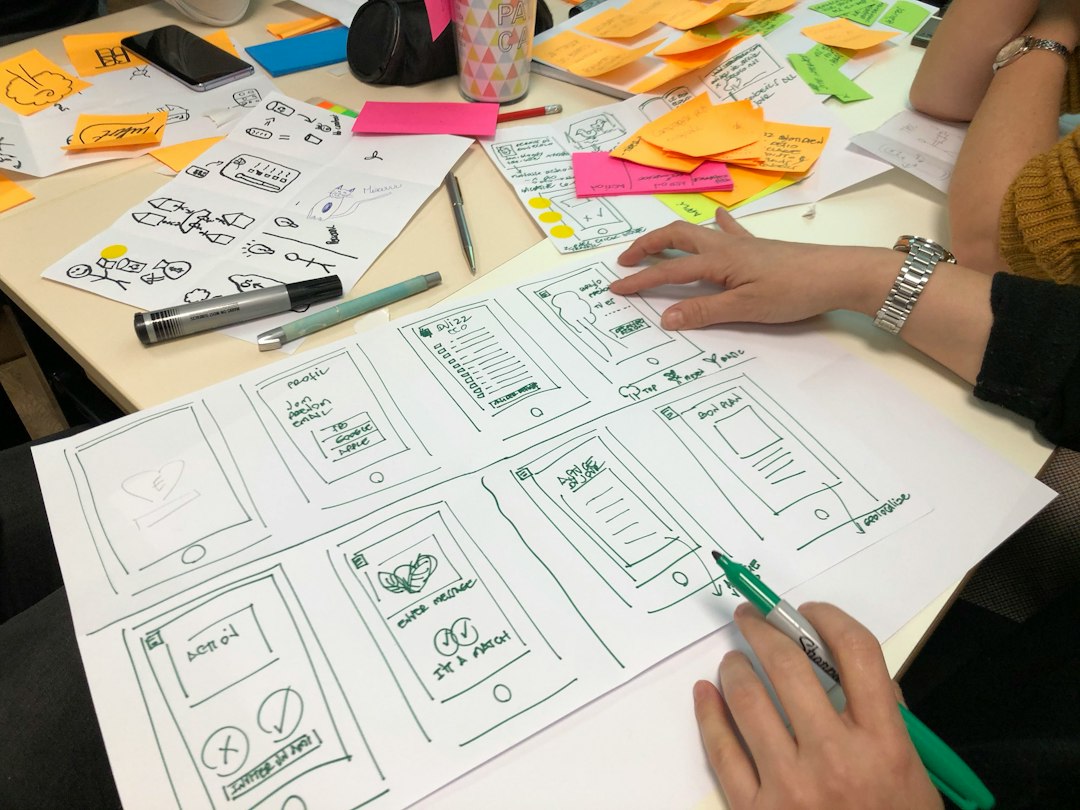
Uizard is not just about AI generation. Its value comes from reducing friction. A founder can draw three boxes on paper, upload the sketch, and get something presentable. That is useful in workshops, pitch prep, and early product validation.
Galileo AI vs Uizard for different users
Product designers may prefer Galileo AI when the task is to generate polished UI directions fast. It gives them stronger visual material to react to. It can also help explore style options before building final components elsewhere.
Founders and non-designers may prefer Uizard. Its workflow is easier to understand, especially when the user has sketches, screenshots, or a simple product idea. The final result may be less polished, but it is usually easier to edit and share.
Agencies can use both. Galileo AI can help create early visual concepts for client presentations. Uizard can help turn workshop notes and rough sketches into quick prototypes. The best choice depends on whether the agency needs beauty or speed first.
Product managers may get more practical value from Uizard. They often need to explain flows, test concepts, and gather feedback. A clean clickable mockup matters more than a stunning static screen.
Ease of use
Uizard is usually easier for beginners. Its tools feel closer to a guided mockup builder. Users can start with templates, sketches, screenshots, or AI prompts. That flexibility helps when the starting point is messy.
Galileo AI asks for better prompts. The more specific the input, the better the result. Vague prompts can create generic designs. A prompt like “create a wellness app home screen” may produce something nice but forgettable. A more detailed prompt, such as “create a calm wellness app home screen for busy parents, with a breathing timer, daily habit cards, and soft green colors”, gives the tool a better target.
Design quality and output
Galileo AI tends to win on visual quality. Its screens often look more refined at first glance. Typography, card layouts, and color use can feel more current, especially for mobile apps and SaaS dashboards.
Uizard wins on editability and speed for rough work. It may not always create the most elegant screen, but it gives teams something usable quickly. That matters when the goal is feedback, not design awards.
It drives many teams crazy that AI tools can make a screen look 80% complete while hiding the hardest 20%. Neither platform removes the need for user testing, design systems, developer review, or accessibility checks.
Best use cases
- Choose Galileo AI for polished UI concepts, mobile app ideation, SaaS dashboards, visual exploration, and early design inspiration.
- Choose Uizard for wireframes, sketch conversion, quick prototypes, stakeholder workshops, and non-designer collaboration.
- Use both when a team wants Uizard for structure and Galileo AI for visual style exploration.

Pricing and team fit
Pricing can change, so teams should check each platform before choosing. The bigger question is not only cost. It is workflow fit. If a team already has designers and wants faster concept work, Galileo AI may offer better value. If a team has many non-designers who need to contribute to mockups, Uizard may be easier to justify.
For a startup building its first MVP, Uizard may reduce meetings and speed up rough prototyping. For a design-led product team preparing multiple interface directions, Galileo AI may save more creative time.
Final recommendation
Galileo AI is the stronger AI-powered UI design tool for polished screen generation. Uizard is the stronger choice for fast prototyping and sketch-based workflows. The decision comes down to the starting point. If the team starts with words and wants beautiful UI concepts, Galileo AI fits. If the team starts with sketches, screenshots, or rough product flows, Uizard is often the safer pick.
FAQ
-
Is Galileo AI better than Uizard?
Galileo AI is better for polished UI concepts. Uizard is better for quick mockups, sketch conversion, and simple prototyping. -
Can Galileo AI replace a UI designer?
No. It can speed up ideation, but a designer is still needed for structure, accessibility, user logic, and final quality. -
Is Uizard good for beginners?
Yes. Uizard is friendly for non-designers, founders, students, and product managers who need editable mockups fast. -
Which tool is better for mobile app design?
Galileo AI often creates more polished mobile app screens. Uizard is better when the mobile app starts as a sketch or wireframe. -
Which tool should a startup choose?
A startup should choose Uizard for early MVP planning and quick prototypes. It should choose Galileo AI when visual quality and concept presentation matter more.