
Choose Mailchimp if you mainly need clear campaign-level email reporting; choose HubSpot if you need email results tied to contacts, sales activity, and revenue. Mailchimp is faster for checking how a newsletter performed. HubSpot is stronger when the real question is, “Which emails helped create leads, deals, or customers?”
TLDR: Mailchimp gives cleaner, simpler email campaign analytics for opens, clicks, bounces, unsubscribes, and ecommerce basics. HubSpot gives deeper reporting when your email program is connected to a CRM and sales funnel. For example, a SaaS team sending 40,000 monthly emails might see a 31% open rate in both tools, but HubSpot can show that 114 contacts clicked, 26 became sales-qualified leads, and 7 created deals worth $18,500. Mailchimp is easier; HubSpot connects more dots.
Email campaign reporting: the quick comparison
Mailchimp and HubSpot both report the usual email metrics. You get open rates, click rates, bounce rates, unsubscribe rates, spam complaints, delivery data, and link performance. That part is not surprising.
The real difference is where the reporting story ends. Mailchimp tends to stop at the campaign and audience level. HubSpot keeps going into contact behavior, lead scoring, lifecycle stage, sales outreach, deals, and revenue attribution.
If your team asks, “Did the email work?” Mailchimp can answer quickly. If your team asks, “Did the email help us grow pipeline?” HubSpot has the better answer.
Mailchimp reporting: simple, fast, and usually enough
Mailchimp is built for marketers who want to send email and read performance without opening five different screens. Its reports are easy to scan. You can quickly see how a campaign performed against previous sends, which links received clicks, and which contacts engaged.
Mailchimp is especially useful for:
- Newsletters with regular sends and repeat audiences.
- Ecommerce brands that connect Shopify, WooCommerce, or other stores.
- Small teams that need quick campaign reports without a complex CRM setup.
- Content marketers tracking subject lines, clicks, and audience growth.
The campaign report layout is one of Mailchimp’s best traits. You can see opens, clicks, orders, revenue, unsubscribes, and top locations in a readable format. Link click maps are also helpful. They show what people clicked inside the message, not just that they clicked something.
Mailchimp’s comparative reporting can be handy if you want to compare multiple campaigns at once. This is useful for spotting patterns, such as whether product emails beat editorial emails or whether Friday sends perform worse than Tuesday sends.
The catch is that Mailchimp can feel shallow when your reporting needs get more serious. You may know that 842 people clicked a product link, but tying that behavior to full customer history, sales calls, lead quality, and long-term revenue can get clunky. Exporting data and matching it elsewhere gets old fast.
HubSpot reporting: deeper, richer, and more demanding
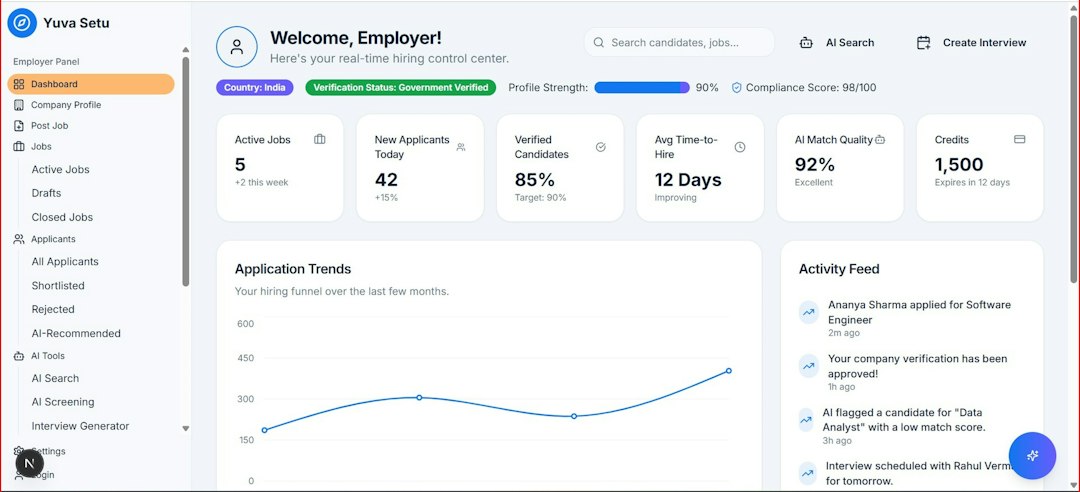
HubSpot treats email as part of a larger customer system. That is the main reason its reporting can feel more powerful. Email analytics sit beside CRM records, landing pages, forms, workflows, ads, sales emails, calls, meetings, and deals.
With HubSpot, you can report on questions like:
- Which email campaigns influenced new contacts?
- Which contacts clicked but never converted?
- Which email clicks triggered form submissions?
- Which campaigns influenced closed deals?
- Which lifecycle stages respond best to certain email topics?
This makes HubSpot much stronger for B2B marketing, long sales cycles, lead nurturing, and account-based campaigns. If a prospect reads three emails, downloads a guide, books a demo, and later becomes a customer, HubSpot can keep that activity in one record.
That said, HubSpot takes more setup. Honestly, it feels like some reports should take three clicks but instead take nine, especially when custom properties, lists, and attribution settings are involved. The payoff can be worth it, but only if your team keeps the CRM clean.

Key email analytics both tools track
Both Mailchimp and HubSpot cover the basics well. These are the metrics most teams check after every send:
- Open rate: The share of delivered emails that were opened.
- Click rate: The share of delivered emails that received at least one click.
- Click-through rate: Often used to measure engagement with email content.
- Bounce rate: Emails that failed to deliver.
- Unsubscribe rate: People who opted out after receiving the email.
- Spam complaints: A warning sign for list quality or content relevance.
- Device and location data: Useful, but not always exact.
- Top clicked links: Essential for judging calls to action.
One warning matters here. Open rates are less reliable than they used to be. Apple Mail Privacy Protection and similar privacy features can inflate opens. This affects reporting in both tools. Clicks, conversions, replies, form fills, purchases, and booked meetings are better signals.
Where Mailchimp wins
Mailchimp wins on speed and simplicity. A marketer can send a campaign, open the report, and understand the results without much training. The interface is friendly, and the reporting language feels approachable.
Mailchimp is also strong for ecommerce reporting when your store is connected properly. You can track revenue, orders, average order value, and product activity from email campaigns. For many online shops, that is plenty.
It also works well for smaller budgets. If your main need is to report that last week’s product email had a 38% open rate, 4.6% click rate, and $3,200 in attributed sales, Mailchimp handles that neatly.
Where HubSpot wins
HubSpot wins on context. It does not just say that someone clicked. It can show who clicked, what they did before, what happened after, and whether sales followed up.
This is valuable for teams that care about funnel performance. For example, a campaign may have a modest 2.1% click rate but generate 15 demo requests from high-fit accounts. Mailchimp may make that email look average. HubSpot can show it was a serious pipeline driver.
HubSpot’s custom dashboards are also stronger. You can build reports for executives, sales managers, and campaign owners. Each group can see the numbers it cares about. Marketing can track campaign engagement. Sales can see hot contacts. Leadership can review sourced or influenced revenue.
Annoyances worth knowing before you choose
Mailchimp can become frustrating when segmentation and reporting need more precision. You may need workarounds to answer questions that sound simple, like “Which contacts clicked this link, later bought product A, and have not purchased again in 60 days?” It can be done in some cases, but expect extra list work.
HubSpot’s annoyance is different. It can report on almost anything, but only when the data structure is solid. If lifecycle stages are messy, sales reps skip deal updates, or forms use inconsistent fields, reports lose trust. A powerful reporting tool cannot fix sloppy inputs.
Which tool is better for your reporting goals?
Pick Mailchimp if your reporting needs are mostly campaign-based. It is a good fit for newsletters, promotions, ecommerce sends, and simple audience engagement tracking. It is also better when you need something your team can learn quickly.
Pick HubSpot if your campaigns support a longer buyer journey. It is the better choice for B2B teams, sales-led companies, lead nurturing, and revenue reporting. It is also the stronger option when email is only one part of your marketing engine.
The best choice depends on the question your reports must answer. If the question is “How did this email perform?”, Mailchimp is often enough. If the question is “How did this email affect contacts, pipeline, and sales?”, HubSpot is the better tool.
Bottom line: Mailchimp gives you faster email campaign analytics. HubSpot gives you broader business analytics. If you only need email metrics, keep it simple. If your email reporting needs to prove revenue impact, HubSpot is the stronger bet.