Buying or unboxing a Microsoft Surface Book 2 is not just about the laptop itself. The in-box items matter because they confirm authenticity, affect charging performance, support warranty claims, and help you understand what Microsoft intended to include with the device. Whether you are purchasing a new unit, checking an open-box model, or verifying a used Surface Book 2, knowing the expected accessories can prevent confusion and help you spot missing or mismatched parts.
TLDR: A standard Surface Book 2 box typically includes the Surface Book 2 device, a Surface power supply, and printed documentation such as a quick start guide, safety information, and warranty materials. The exact charger wattage may vary depending on the model size and configuration. Items such as the Surface Pen, Surface Dial, adapters, protective cases, and Microsoft Office license are generally not guaranteed in the box unless included in a special bundle.
What Comes in the Surface Book 2 Box?
The Surface Book 2 was released as a premium detachable laptop with a distinctive hinge, a high-resolution PixelSense display, and a keyboard base that may include dedicated graphics depending on the configuration. Microsoft kept the in-box package relatively simple and professional. In most standard retail packages, you should expect the following core items:
- Surface Book 2 tablet and keyboard base, attached together in laptop form
- Surface power supply with a magnetic Surface Connect charging cable
- Printed quick start guide
- Safety and regulatory information
- Warranty documentation, depending on region
These items represent the normal baseline for a complete box. If you are purchasing from a private seller or a refurbished retailer, the most important things to verify are the device itself, the correct charger, and any documentation that might be needed for proof of condition or resale value.

The Surface Book 2 Device Itself
The main item in the box is, of course, the Surface Book 2. It consists of two major sections: the detachable display, often called the clipboard, and the keyboard base. The display contains the processor, memory, storage, touchscreen, cameras, and battery. The base contains the keyboard, trackpad, additional battery, ports, and in some models, a dedicated NVIDIA graphics processor.
When inspecting the device, confirm that the screen and base are properly connected. The hinge should feel firm and should not wobble excessively. The detach mechanism should work smoothly after the system is powered on and Windows is running. A Surface Book 2 that cannot detach may simply need charging or driver updates, but it could also indicate a hardware issue.
Also check the model size. The Surface Book 2 was sold in 13.5-inch and 15-inch versions. The box label should match the device configuration, including storage, memory, processor, and graphics. This is especially important when buying used, because external appearance alone is not always enough to confirm the exact specification.
The Included Surface Power Supply
The charger is one of the most important in-box accessories. Surface Book 2 uses Microsoft’s Surface Connect magnetic charging port. The power supply connects magnetically to the side of the device and is designed to detach safely if pulled, reducing the chance of the laptop being dragged from a desk.
Depending on the Surface Book 2 model, the included charger wattage may differ. Lower-power configurations may include a smaller adapter, while higher-performance models, especially those with dedicated graphics or the 15-inch display, generally require a more powerful adapter. This matters because an underpowered charger may charge slowly, fail to keep up under heavy load, or display warnings in Windows.
Many Surface power supplies also include a USB-A charging port on the power brick. This port is useful for charging a phone, wireless mouse, headset, or another small accessory. It is not intended to replace a full USB hub, but it is a practical feature for travel or desk use.
Printed Documentation and Warranty Materials
The paper materials inside the Surface Book 2 box are simple but still worth keeping. The quick start guide provides basic instructions for powering on the device, connecting the charger, and identifying ports. While most users can set up the laptop without it, the guide is helpful for first-time Surface owners because the detachable design is different from a conventional notebook.
The safety and regulatory documents include required information about battery handling, radio compliance, operating conditions, and responsible use. These are not exciting items, but they are part of a complete retail package. Warranty documents may vary by market, but they can be useful if you need to understand regional service terms or support rights.
If you plan to resell the Surface Book 2 later, keeping the paperwork and original box can improve buyer confidence. A complete package suggests the device has been cared for and makes shipping safer.
Is the Surface Pen Included?
One of the most common questions is whether the Surface Pen comes in the Surface Book 2 box. In most standard Surface Book 2 retail packages, the Surface Pen is not guaranteed as an included accessory. Microsoft has often sold the pen separately, although certain retailer promotions, education bundles, or older packages may have included it.
This distinction matters because the Surface Book 2 is highly capable as a pen-enabled device. Its PixelSense display supports precise inking, note-taking, sketching, document markup, and creative workflows. However, if you are expecting to use pen features immediately, you should verify the listing carefully before purchase.
When a seller claims that a pen is included, confirm the model and condition. Surface Pens have changed over time, with differences in pressure sensitivity, tilt support, button layout, and battery type. A genuine Microsoft Surface Pen is usually preferable to an unknown third-party stylus if accuracy and reliability are important.
Items Commonly Not Included in the Box
Because the Surface Book 2 was positioned as a premium laptop, some buyers assume the box includes a full set of accessories. In reality, Microsoft kept the contents minimal. The following items are usually not included unless specifically stated by the retailer or bundle:
- Surface Pen
- Surface Dial
- USB-C adapters for HDMI, DisplayPort, Ethernet, or VGA
- Protective sleeve or carrying case
- Screen protector
- External mouse
- Docking station
- Full Microsoft Office license
- External recovery drive
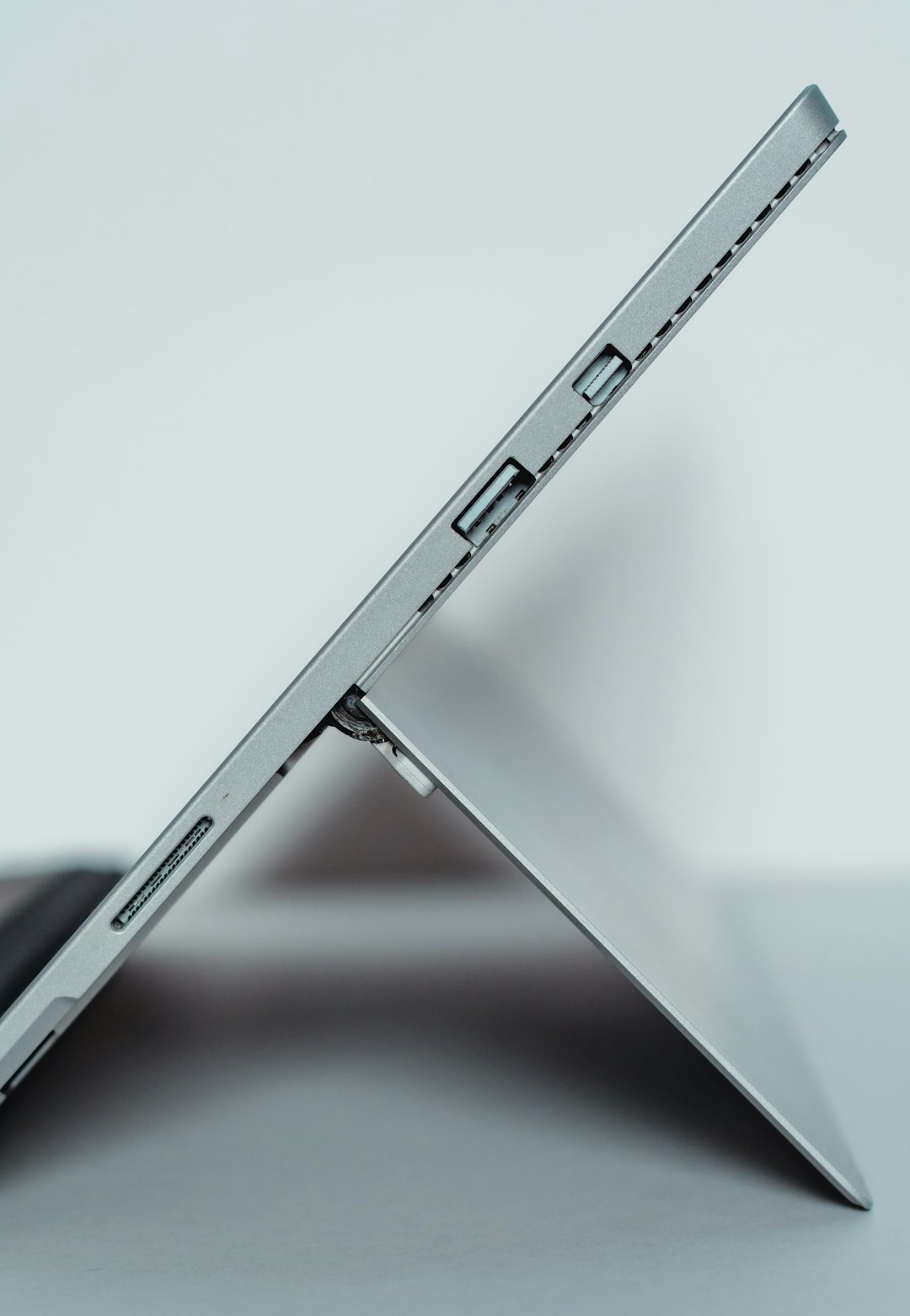
The Surface Book 2 includes built-in ports, but you may still need adapters depending on your setup. It has USB-A ports, a USB-C port, an SD card reader on many models, Surface Connect, and a headphone jack. However, the USB-C port does not mean every display or dock will work exactly as expected, especially with high-resolution monitors or demanding multi-display arrangements.
Checking the Box Before You Keep or Buy It
If you are opening a Surface Book 2 for the first time, inspect the package carefully before discarding anything. Look under cardboard inserts, check side compartments, and confirm that the charger and documents are present. Microsoft packaging is usually organized neatly, and the charger is often stored separately from the device.
For open-box or used purchases, use this practical checklist:
- Confirm the serial number on the device and compare it with the box label if available.
- Check the charger for Microsoft branding and appropriate wattage.
- Inspect the Surface Connect tip for bent pins, corrosion, or loose magnet alignment.
- Examine the hinge for stiffness, cracking, or uneven movement.
- Test the detach function after Windows has started.
- Check battery health if buying used, since the device contains batteries in both the tablet and base.
- Verify ports, including USB-A, USB-C, SD card reader, and headphone jack.
- Confirm Windows activation and make sure the device is not locked to another account.

Why the Correct Charger Matters
A Surface Book 2 can sometimes power on with a lower-wattage Surface charger, but that does not mean the charger is ideal. Under demanding workloads such as video editing, gaming, 3D design, or compiling large projects, a weak adapter may not supply enough power. The battery can drain even while plugged in, or the system may reduce performance to protect itself.
For the best experience, use the charger originally intended for your model or a reputable replacement with suitable output. Avoid cheap, unverified chargers. Poor-quality power adapters can cause unstable charging, overheating, or long-term reliability problems. For a premium device like the Surface Book 2, the power supply is not an accessory to treat casually.
Recommended Accessories to Buy Separately
Although the standard box is limited, a few optional accessories can significantly improve daily use. A Surface Pen is the most obvious choice for students, designers, architects, and anyone who marks up PDFs or takes handwritten notes. A USB-C to HDMI or DisplayPort adapter is useful for external monitors and presentations. A protective sleeve is also strongly recommended, because the Surface Book 2 has a premium magnesium body that can show scratches and dents.
For desk setups, consider a Surface Dock or a compatible USB-C hub, depending on your monitor and peripheral requirements. Photographers may appreciate the built-in SD card support, but faster external readers can still be useful for high-volume work. If you travel frequently, a compact mouse and a padded carrying case are sensible additions.
Final Advice
The best way to think about Surface Book 2 in-box accessories is simple: the standard box provides what you need to start using the computer, but not everything you may need for your workflow. The essential included items are the device, the Surface power supply, and the basic documentation. Anything beyond that should be treated as a bonus unless clearly listed.
For new buyers, confirm the package contents before purchase. For used or open-box buyers, pay close attention to charger authenticity, model configuration, battery condition, and the detach mechanism. A complete and properly matched Surface Book 2 package offers better reliability, easier resale, and a more confident ownership experience.