
A slow WordPress website can quietly reduce traffic, leads, and revenue long before a site owner notices a major technical problem. Speed optimisation is not just a developer preference; it affects search visibility, user experience, conversion rates, and advertising performance. The right time to hire a WordPress speed optimisation service is usually when performance issues begin to cost more than professional help would.
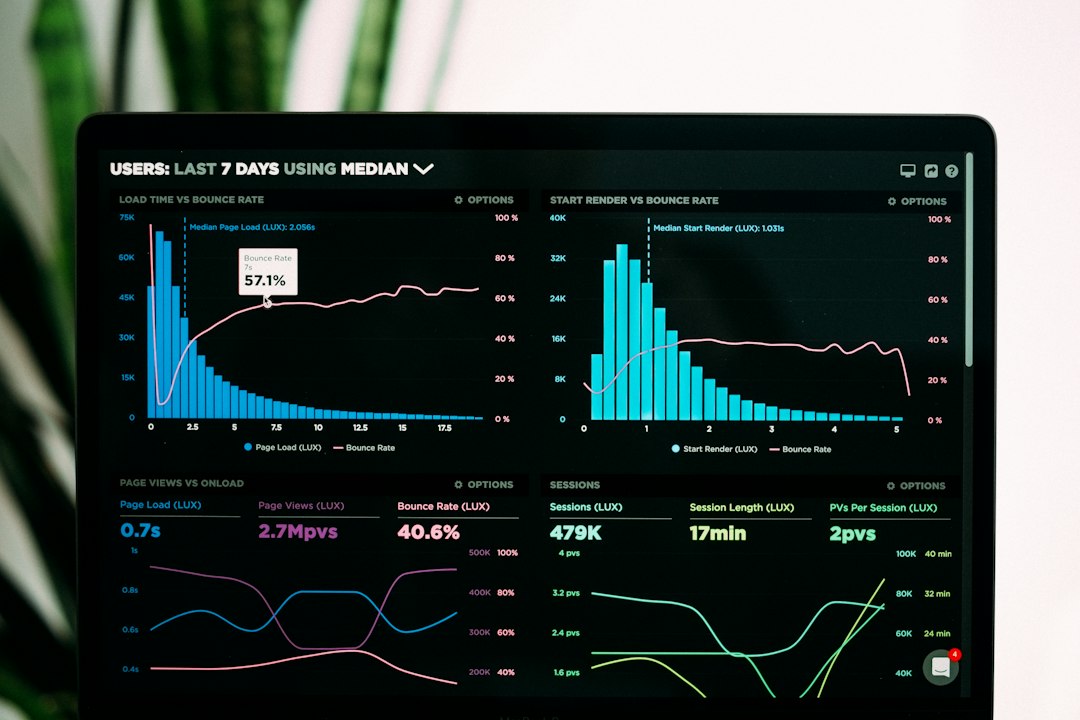
TLDR: A business should consider hiring a WordPress speed optimisation service when its pages load slowly, Core Web Vitals are poor, conversions are dropping, or internal teams cannot identify the cause. For example, an online store that reduces load time from 5.2 seconds to 2.1 seconds may see fewer abandoned carts and stronger engagement. If analytics show a bounce rate above 55% on key landing pages or mobile users leaving faster than desktop users, professional optimisation may be worth the investment.
Why WordPress Speed Matters
WordPress is flexible, scalable, and widely used, but it can also become slow when themes, plugins, images, scripts, and hosting are not managed properly. A website may look polished on the surface while loading unnecessary files in the background. Over time, these small inefficiencies can create a poor experience for visitors.
Speed matters because users make decisions quickly. If a page takes too long to load, visitors may leave before reading an offer, filling out a form, or buying a product. Search engines also evaluate performance through metrics such as Largest Contentful Paint, Interaction to Next Paint, and Cumulative Layout Shift. When these scores are weak, rankings and organic traffic may suffer.

When a Website Consistently Loads Slowly
The most obvious time to hire a professional is when a WordPress site feels slow across multiple pages. If the homepage, product pages, blog posts, or checkout screens take several seconds to appear, the issue is rarely caused by a single factor. It may involve large images, poor caching, bloated plugins, render blocking scripts, weak hosting, or database clutter.
A site owner may test performance using tools such as Google PageSpeed Insights, GTmetrix, or WebPageTest. If important pages regularly load in more than 3 seconds, a speed optimisation service can help diagnose the root causes and create a structured improvement plan.
When Core Web Vitals Are Poor
Core Web Vitals are key indicators of real user experience. A business should consider expert help when reports show warnings such as:
- Poor Largest Contentful Paint: main content takes too long to appear.
- Poor Interaction to Next Paint: buttons, forms, or menus feel delayed.
- High Cumulative Layout Shift: elements move unexpectedly while loading.
These issues can be technical and may require changes to CSS, JavaScript delivery, fonts, image handling, caching rules, and server response times. A professional optimisation service can prioritise changes that provide measurable gains without breaking the design or functionality of the website.
When Conversions Start Dropping
A slow website often affects revenue before it affects traffic. An ecommerce store may still receive visitors, but fewer users complete checkout. A service business may get fewer form submissions. A membership site may see lower sign up rates.
For example, if a landing page receives 10,000 monthly visits and converts at 2%, it generates 200 leads. If slow loading reduces the conversion rate to 1.5%, the site loses 50 potential leads each month. In that situation, hiring a speed optimisation expert may be less expensive than continuing to lose enquiries or sales.
When Mobile Performance Is Weak
Many visitors browse on mobile devices using slower connections than desktop users. A WordPress site that feels acceptable on a fast office connection may perform poorly for mobile users. This is especially important for local businesses, online stores, publishers, and companies running paid ads.
If analytics show that mobile visitors have a higher bounce rate, shorter session duration, or lower conversion rate than desktop users, speed may be part of the problem. A professional can optimise mobile delivery by improving image sizes, reducing unused code, configuring caching, and adjusting layout behaviour.

When Plugin Conflicts and Bloat Become Hard to Manage
WordPress plugins can add useful features, but too many plugins can slow a site down. Some plugins load scripts on every page, even when their features are only used in one area. Others create database overhead or conflict with caching systems.
A speed optimisation service can audit plugins and identify which ones are essential, replaceable, or harmful to performance. This does not always mean deleting many plugins. In some cases, the solution is to load assets more selectively, replace one heavy plugin with a lighter alternative, or configure existing tools correctly.
When Hosting Is Holding the Site Back
Not every speed issue is caused inside WordPress. Sometimes the hosting environment is the main limitation. Shared hosting, underpowered servers, poor database performance, or lack of server level caching can make optimisation difficult.
A professional can evaluate server response times and recommend whether the site needs better hosting, a content delivery network, object caching, or improved PHP and database settings. This is useful because moving hosts without diagnosis can waste money if the real issue is caused by theme code, oversized media, or third party scripts.
When the Website Uses Paid Advertising
Businesses that pay for traffic should treat speed as part of campaign performance. Slow landing pages can increase bounce rates and reduce the return on ad spend. Even small delays may make paid traffic less profitable.
If a company spends money on search ads, social ads, or affiliate campaigns, it should not send users to slow pages. A speed optimisation service can focus on the key landing pages that influence revenue most directly. This targeted approach may provide faster business impact than optimising every page at once.
When Internal Teams Lack Time or Technical Expertise
Some website owners try to install a caching plugin and expect instant results. While caching can help, effective optimisation often requires deeper work. Image compression, critical CSS, JavaScript deferral, database cleanup, CDN configuration, font optimisation, and server tuning must be handled carefully.
If an internal team is not confident making these changes, professional help reduces risk. A reputable service should back up the site, test changes in a safe environment, monitor results, and avoid damaging layouts, forms, ecommerce functions, or tracking scripts.
What a Professional Service Should Provide
A good WordPress speed optimisation service should offer more than a generic plugin setup. It should include:
- Performance audit: a review of speed scores, hosting, plugins, scripts, images, and database health.
- Prioritised recommendations: the most important fixes first, based on business impact.
- Safe implementation: backups, testing, and careful deployment.
- Before and after reporting: clear evidence of what improved.
- Ongoing guidance: advice on keeping the site fast after future updates.
When It May Not Be Necessary Yet
Hiring a specialist may not be urgent for every site. A small brochure website with fast loading pages, clean hosting, limited plugins, and healthy Core Web Vitals may only need basic maintenance. However, even these sites should be monitored after design changes, plugin updates, or content growth.
Speed optimisation becomes more important as a website becomes more valuable. If the site supports lead generation, ecommerce sales, subscriptions, bookings, or advertising revenue, performance should be treated as a business asset rather than a technical extra.
Final Thoughts
A WordPress speed optimisation service should be hired when slow loading, poor user experience, weak Core Web Vitals, or falling conversions begin to affect business results. The decision is not simply about achieving a higher score; it is about helping visitors move smoothly from arrival to action. When a website plays a meaningful role in revenue or reputation, professional optimisation can be a practical and profitable investment.
FAQ
How can a business tell if its WordPress site is too slow?
A business can test important pages with tools such as PageSpeed Insights or GTmetrix and compare results with analytics data. If pages take more than 3 seconds to load or users leave quickly, speed may be a problem.
Can a caching plugin fix WordPress speed issues?
A caching plugin can help, but it is not always enough. Slow hosting, large images, heavy themes, plugin bloat, database issues, and third party scripts may still require professional optimisation.
Is speed optimisation important for SEO?
Yes. Speed and Core Web Vitals can influence search performance, especially when competitors offer a better user experience. Faster pages can also improve engagement, which supports stronger overall performance.
How often should a WordPress site be optimised?
A site should be reviewed after major updates, redesigns, plugin changes, traffic growth, or hosting changes. For business critical websites, a performance review every few months is sensible.
What should be expected after hiring a speed optimisation service?
The site should ideally show faster loading times, better Core Web Vitals, reduced page weight, and improved user experience. A reliable provider should also supply clear before and after performance results.