AI sticker creation has moved from a niche design trick to a fast, practical workflow for creators, small businesses, teachers, marketers, and anyone who wants polished visuals without starting from a blank canvas. Tools like Adobe Express have made sticker design more accessible by combining templates, text effects, background removal, and generative AI. But Adobe Express is not the only option worth exploring, especially if you want different styles, faster workflows, better mobile editing, or more control over illustration quality.
TLDR: If you need fast sticker designs, tools such as Canva, Picsart, Fotor, Microsoft Designer, Kittl, Ideogram, and Sticker Mule Studio offer strong alternatives to Adobe Express. Some are best for social and casual stickers, while others are better for print-ready designs, typography, or AI-generated illustrations. The best choice depends on whether you want speed, customization, commercial use features, or professional export options.
Why AI Sticker Tools Are So Popular
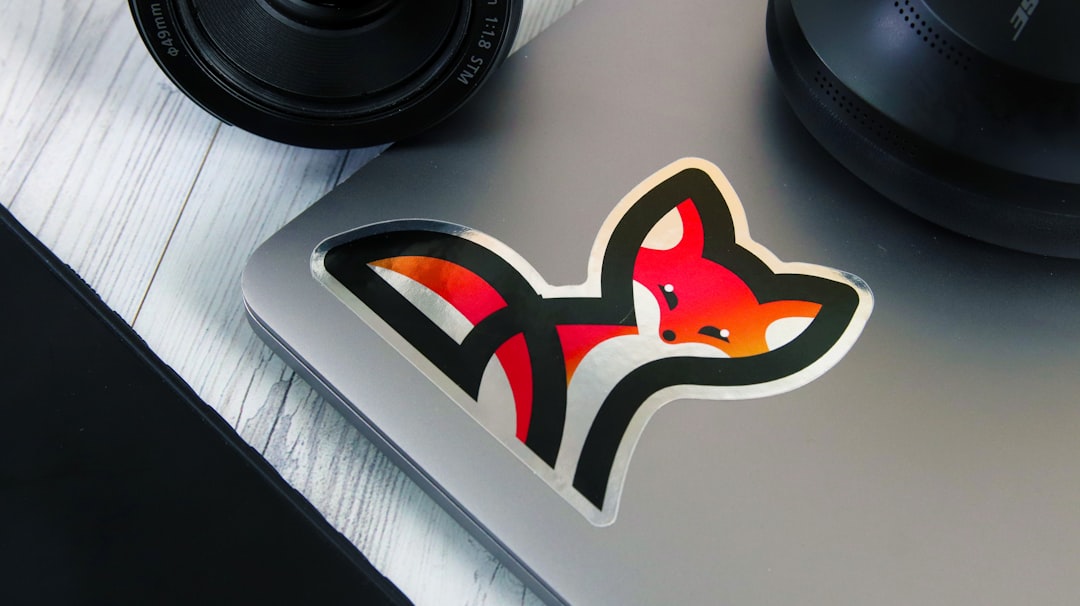
Stickers are everywhere: on packaging, laptops, notebooks, water bottles, messaging apps, social posts, product inserts, and promotional giveaways. A good sticker is small, memorable, and instantly expressive. However, designing one from scratch can take time, especially if you need clean outlines, transparent backgrounds, bold colors, and readable text.
That is where AI sticker creation tools shine. They can generate ideas, remove backgrounds, suggest layouts, create characters, add effects, and resize artwork for different uses. Instead of spending hours in a professional design program, you can type a prompt like “cute smiling avocado sticker in kawaii style with white outline” and get usable concepts in seconds.
Below are seven of the best AI sticker creation tools for fast design work, each with its own strengths and ideal use cases.
1. Canva
Best for: Quick sticker layouts, social stickers, printable designs, and beginner-friendly editing.
Canva is one of the closest alternatives to Adobe Express because it combines templates, AI tools, drag-and-drop editing, and a large asset library. Its sticker creation workflow is simple: start with a blank design or template, add graphics or AI-generated artwork, apply text, then export with a transparent background if your plan supports it.
Canva’s AI features, including text-to-image generation and Magic Studio tools, make it easy to brainstorm sticker concepts. You can create playful characters, motivational quote stickers, product labels, event stickers, and digital planner stickers without needing advanced design skills.
- Strong template library: Great for users who want inspiration before designing.
- Easy resizing: Helpful for turning a sticker into a social post, label, flyer element, or digital asset.
- Collaboration tools: Useful for teams, classrooms, and small businesses.
Potential drawback: Many of the most useful export and AI features are more powerful on paid plans, and some designs may look “template-like” unless you customize them carefully.
2. Picsart
Best for: Trendy, fun, mobile-first sticker designs and expressive edits.
Picsart is especially popular among creators who design on their phones. It offers AI image generation, background removal, filters, cutout tools, text effects, and a large library of decorative elements. If your sticker style is bold, playful, meme-like, or social-media-ready, Picsart is a strong option.
One reason Picsart works well for sticker creation is its cutout and remix culture. You can turn a photo into a sticker, add outlines, place it over colorful shapes, and apply stylized effects. The AI tools can help generate characters, icons, and themed visuals, while manual editing tools let you refine the final look.
- Great mobile experience: Ideal for designing quickly from a phone or tablet.
- Creative effects: Useful for stickers with personality, humor, or pop-culture energy.
- Photo-to-sticker workflow: Excellent for turning selfies, pets, products, or objects into stickers.
Potential drawback: Picsart is excellent for fast creativity, but less ideal if you need highly precise print production controls.
3. Fotor
Best for: AI-generated sticker concepts, image cleanup, and polished visual effects.
Fotor is a versatile online editor with AI image generation, background removal, object removal, enhancement tools, and design templates. It is well suited for people who want to create sticker art from prompts and then clean it up quickly.
You might use Fotor to generate a mascot, cartoon animal, food illustration, or seasonal sticker. Then, you can remove the background, improve sharpness, add text, and export the final design. Fotor’s interface is generally straightforward, which makes it appealing for users who want AI support but do not want to navigate a complex design program.
- Good AI art generation: Useful for producing sticker ideas from text prompts.
- Background remover: Essential for transparent sticker files.
- Photo enhancement tools: Helpful if your sticker starts from a real image.
Potential drawback: As with many AI art tools, generated details can sometimes be inconsistent, so you may need to regenerate or edit results before printing.
4. Microsoft Designer
Best for: Fast AI-assisted concepts, clean graphics, and business-friendly design work.
Microsoft Designer is built around AI-powered visual creation. It can generate images, layouts, and design ideas from simple prompts. For sticker creation, this is useful when you want quick concept development with minimal setup. You can describe a sticker idea, such as “retro coffee cup sticker with warm colors and bold typography”, and use the results as a starting point.
Because Microsoft Designer integrates well with the broader Microsoft ecosystem, it can be attractive for users already working with Microsoft tools. It is also approachable for non-designers who need marketing graphics, event stickers, labels, or decorative visuals without learning a professional editor.
- Prompt-based design: Good for quickly generating creative directions.
- Clean interface: Simple enough for beginners and business users.
- Useful for campaigns: Works well for promotional graphics and branded sticker concepts.
Potential drawback: It may not offer the same depth of manual sticker-specific controls as more design-focused platforms.
5. Kittl
Best for: Typography-heavy stickers, vintage styles, badges, labels, and print-ready artwork.
Kittl is a strong choice for designers who want stickers with a more crafted, professional look. It is particularly good for text-based designs, retro badge stickers, apparel-style graphics, product labels, and decorative typography. While it includes AI tools, its biggest advantage is the quality of its layout, font, texture, and illustration capabilities.
If you are designing stickers for a coffee brand, outdoor club, craft business, or merchandise shop, Kittl can help you create artwork that feels less generic. Its text effects, vector-style assets, and export options make it more appealing for print-oriented workflows.
- Excellent typography tools: Great for quote stickers, badges, and brand labels.
- Professional visual styles: Especially strong for vintage, handmade, and merch-inspired looks.
- Useful export options: Helpful for designs intended for printing or production.
Potential drawback: Kittl may take slightly longer to learn than simpler apps, but the added control is worth it for more polished results.
6. Ideogram
Best for: AI sticker illustration, creative prompts, and text within generated images.
Ideogram is not a traditional sticker editor in the same way Canva or Picsart is, but it is one of the most interesting AI image generators for sticker concepts. Its strength is generating imaginative artwork, including designs that incorporate text more reliably than many older AI image tools.
This makes Ideogram useful for creating sticker art with phrases, slogans, mascot graphics, and stylized lettering. For example, you can prompt it to create “a cheerful raccoon sticker holding a sign that says Stay Curious, cartoon style, white border, transparent background style”. You may still need another editor to finalize the transparent background or prepare the exact print file, but Ideogram is excellent for generating original ideas quickly.
- Imaginative outputs: Great for unique characters and artistic sticker concepts.
- Better text handling: Useful for stickers that include short words or phrases.
- Prompt flexibility: Supports many styles, from cute cartoons to bold poster art.
Potential drawback: You may need to refine generated images in another tool for cropping, background transparency, or print sizing.
7. Sticker Mule Studio
Best for: Turning sticker ideas into physical products quickly.
Sticker Mule is widely known for custom sticker printing, and its design tools are useful if your goal is not just to create a digital sticker but to order real physical stickers. Sticker Mule Studio offers a straightforward way to create or prepare designs before printing. It is not as broad as full design platforms, but it is practical for production-focused users.
This tool is most useful when you already have a logo, illustration, or AI-generated design and want to prepare it for sticker ordering. You can focus less on complex creative effects and more on getting something printable. For small businesses, creators, and event organizers, that convenience can be a major advantage.
- Print-focused workflow: Ideal if you want physical stickers delivered.
- Simple design preparation: Good for users who do not need advanced editing.
- Clear production path: Helps bridge the gap between digital design and printed product.
Potential drawback: It is not the best tool for generating complex artwork from scratch, so it works best alongside an AI art or design platform.
How to Choose the Right AI Sticker Tool
The best AI sticker creation tool depends on what you are making and how you plan to use it. A digital sticker for Instagram, a die-cut vinyl sticker, a classroom reward sticker, and a product label all have different requirements.
- For beginners: Choose Canva or Microsoft Designer for a gentle learning curve.
- For mobile creators: Picsart is one of the fastest and most fun options.
- For AI-generated artwork: Fotor and Ideogram are strong choices for prompt-based visuals.
- For typography and professional style: Kittl offers more refined design control.
- For physical printing: Sticker Mule Studio is practical when production is the goal.
Also consider export options. For stickers, you will often want PNG files with transparent backgrounds, high resolution, clean edges, and enough contrast to stand out at a small size. If you are printing, check whether the tool supports suitable dimensions and whether your design has a clear border or cut line.
Tips for Making Better AI Stickers
AI can speed up sticker design, but good results still depend on thoughtful direction. Short, clear prompts usually work better than vague descriptions. Include details about style, subject, color, mood, and sticker format.
- Use specific style words: Try terms like kawaii, retro, minimal, bold vector, or hand drawn.
- Ask for a border: Phrases like white outline or die cut sticker style help create a sticker-ready look.
- Keep text short: AI handles short phrases better than long sentences.
- Check small-size readability: If it does not look clear when small, simplify it.
- Edit after generating: Remove odd details, fix text, adjust colors, and clean edges.
Final Thoughts
Adobe Express remains a useful tool for quick creative work, but it is far from the only option for AI sticker creation. Canva is excellent for all-purpose design, Picsart is great for trendy mobile edits, Fotor helps with AI generation and cleanup, Microsoft Designer supports fast concept creation, Kittl delivers polished typography, Ideogram produces imaginative prompt-based artwork, and Sticker Mule Studio helps move designs toward print.
The smartest workflow may involve using more than one tool. You might generate a character in Ideogram, refine it in Canva, add typography in Kittl, and prepare it for printing through Sticker Mule. With the right combination, AI sticker design becomes faster, more creative, and much more accessible—even if you are not a professional designer.