Designers, marketers, and creative professionals are increasingly turning to artificial intelligence to speed up their workflows. One of the most powerful combinations emerging today is the use of ChatGPT alongside Adobe Photoshop to streamline the creation of project files. While ChatGPT cannot directly generate native PSD files, it can dramatically assist in planning, scripting, structuring, and preparing assets for Photoshop projects in a highly efficient way.
TL;DR: ChatGPT cannot directly create Photoshop PSD files, but it can generate design plans, layer structures, scripts, prompts, and asset instructions that make building project files much faster. By using ChatGPT to outline layouts, write Photoshop scripts, create design specifications, and generate prompts for AI art tools, users can significantly streamline creative workflows. When paired with Photoshop automation features like Actions and scripting, ChatGPT becomes a powerful creative assistant.
Understanding the Role of ChatGPT in Photoshop Projects
Before diving into the process, it is important to clarify what ChatGPT can and cannot do. ChatGPT does not export .PSD files or directly manipulate Photoshop documents. However, it excels at:
- Generating structured layout plans
- Writing Photoshop automation scripts (ExtendScript/JavaScript)
- Creating layer naming conventions
- Building style guides and branding rules
- Generating prompts for AI-generated assets
- Drafting step-by-step design instructions
In other words, ChatGPT acts as a creative and technical planner rather than the execution tool itself.
Method 1: Generating a Structured Photoshop Layer Blueprint
One of the most time-consuming parts of creative work is planning the layout and organization of a Photoshop document. ChatGPT can generate a complete layer hierarchy before the designer even opens Photoshop.
For example, a user could request:
“Create a layer structure for a social media advertisement promoting a fitness brand.”
ChatGPT could respond with a structure such as:
- Main Folder
- Background
- Gradient Fill
- Texture Overlay
- Model Image
- Shadow
- Color Correction Adjustment Layer
- Text Elements
- Headline
- Subheading
- Call to Action Button
- Branding
- Logo
- Tagline
- Background
This structured outline can then be manually recreated inside Photoshop in seconds. It eliminates guesswork and ensures consistent naming conventions across projects.
Method 2: Writing Photoshop Scripts with ChatGPT
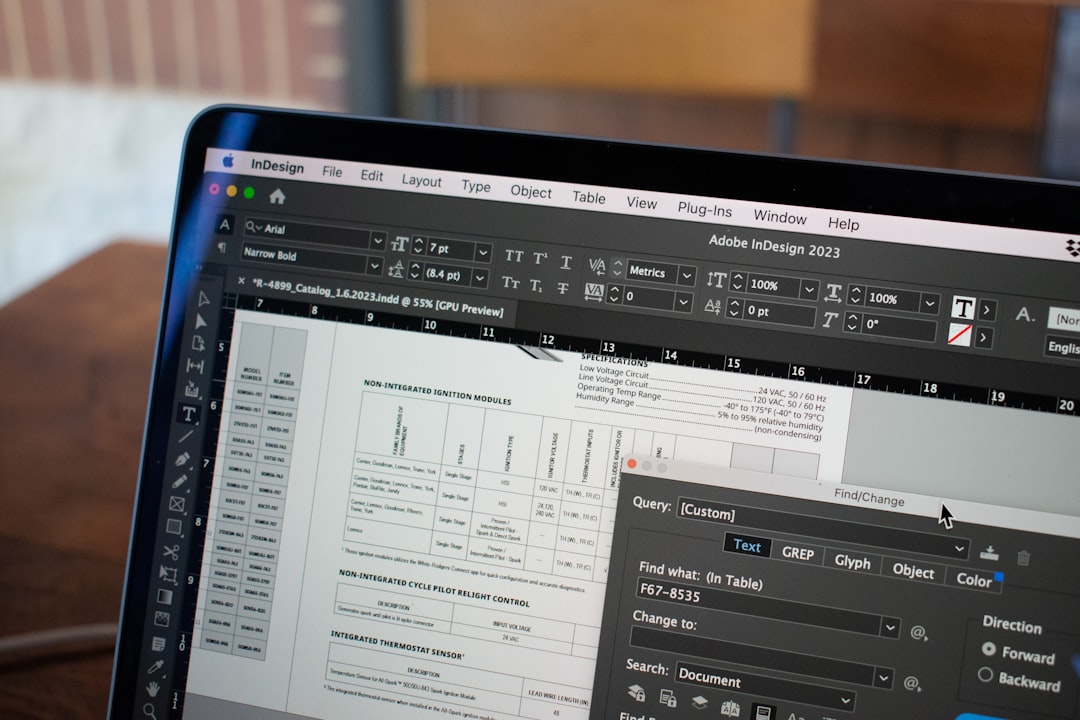
Advanced users can take this further by asking ChatGPT to write Photoshop scripts using JavaScript (ExtendScript). Photoshop supports scripting for automation, and ChatGPT can generate code that:
- Creates new documents with specific dimensions
- Automatically generates layer groups
- Adds text layers with predefined fonts and sizes
- Applies blending modes
- Exports files in specific formats
For instance, a user might prompt:
“Write a Photoshop script that creates a 1080×1080 document, adds a background layer filled with blue, and creates a centered white headline text.”
ChatGPT can generate usable script code that can be saved as a .jsx file and executed inside Photoshop via File → Scripts → Browse.
This technique effectively allows ChatGPT to become a project file generator by proxy, since the script programmatically builds the file structure.
Method 3: Creating AI-Generated Assets for Photoshop
Many Photoshop projects require background images, textures, mockups, or illustrations. ChatGPT can generate highly detailed prompts for AI image generators, which can then produce assets ready for Photoshop editing.
Instead of writing a vague description, users can request:
“Create a detailed AI art prompt for a futuristic shoe advertisement background with neon lighting and cyberpunk city elements.”
ChatGPT will produce a structured prompt including:
- Lighting style
- Color palette
- Atmosphere
- Camera angle
- Rendering quality
Once the asset is generated, it can be imported directly into Photoshop and integrated into the project file.
Method 4: Generating Mockup Templates
ChatGPT can also assist with creating reusable PSD mockup templates. By asking for:
- Smart Object structure recommendations
- Layer mask setups
- Adjustment layer configurations
- Shadow and highlight techniques
Designers can build professional, reusable files faster.
For example, ChatGPT might suggest:
- A Smart Object layer named “Replace Design Here”
- A Multiply blending mode shadow layer clipped to the object
- A Gaussian Blur applied to depth elements
- Color Lookup adjustment layers for mood variations
This structured instruction dramatically reduces setup time.
Method 5: Automating Repetitive Creative Tasks
Batch creation projects—such as generating 50 Instagram posts with similar layouts—are ideal for ChatGPT-assisted automation.
The process typically works as follows:
- Ask ChatGPT to design a repeatable layout structure.
- Request a naming convention for assets.
- Generate a Photoshop Action script outline.
- Create CSV data for variable text replacement.
- Use Photoshop’s Data Sets feature for bulk generation.
This combination allows entire campaign file sets to be created in a fraction of the normal time.
Method 6: Creating Detailed Design Briefs
Another powerful use is generating highly structured design briefs that guide the creation of PSD files.
ChatGPT can outline:
- Canvas dimensions
- Color codes (HEX, RGB, CMYK)
- Typography hierarchy
- Spacing systems
- Grid layouts
This document can serve as a blueprint before Photoshop is even opened.
Best Practices for Using ChatGPT with Photoshop
To get the best results, professionals should follow structured prompting strategies:
- Be precise with dimensions and file specifications.
- Request clearly organized layer hierarchies.
- Ask for export settings when needed.
- Specify whether the output should be beginner-friendly or advanced.
- Iterate and refine outputs step-by-step.
Instead of asking for everything in one large request, breaking tasks into smaller prompts improves accuracy and usability.
Limitations to Keep in Mind
Despite its usefulness, there are limitations:
- ChatGPT cannot operate Photoshop directly.
- Generated scripts may require minor debugging.
- Visual judgment still relies on the designer.
- Not all design nuances can be automated.
Therefore, ChatGPT works best as a collaborative assistant rather than a full replacement for creative expertise.
Workflow Example: From Idea to PSD File
To better understand the implementation, consider this simplified workflow:
- Define the purpose of the graphic.
- Ask ChatGPT to generate a layout structure.
- Request a Photoshop script to create the basic document.
- Generate AI art prompts for required visuals.
- Import assets into Photoshop.
- Follow the structured layer hierarchy.
- Refine details manually.
- Export finished results.
This hybrid human-AI workflow is currently one of the fastest ways to create professional Photoshop project files.
Conclusion
While ChatGPT cannot natively generate PSD files, it plays a powerful role in accelerating Photoshop workflows. From scripting to design planning and asset prompting, it dramatically reduces repetitive setup tasks. Designers who treat ChatGPT as a structured assistant rather than a direct design tool can unlock significant productivity gains. As AI tools and scripting capabilities continue to evolve, the integration between conversational AI and creative software will likely become even more seamless.
Frequently Asked Questions (FAQ)
1. Can ChatGPT directly create a PSD file?
No. ChatGPT cannot directly generate PSD files, but it can create scripts and structured plans that help build them quickly.
2. What scripting language does Photoshop use?
Photoshop supports JavaScript (ExtendScript), AppleScript (macOS), and VBScript (Windows). ChatGPT most commonly generates JavaScript-based solutions.
3. Are ChatGPT-generated scripts safe to use?
Scripts should always be reviewed before running. Most generated scripts are safe, but minor debugging may be necessary.
4. Can ChatGPT help with batch image generation?
Yes. It can help create structured workflows using Actions, Data Sets, and export scripts for bulk creation projects.
5. Is this method suitable for beginners?
Yes. Beginners can use ChatGPT for layer organization and design briefs, while advanced users can leverage scripting and automation.
6. Does ChatGPT replace graphic designers?
No. ChatGPT enhances productivity but still requires human creativity, taste, and design judgment.