
Revenue scoring sounds like something from a wizard tower full of spreadsheets. But it is much simpler than that. You sort customers, leads, deals, or accounts into revenue ranges. Then you give each range a score. Bigger revenue usually means a higher score. Simple. Useful. A little bit magical.
TLDR: Revenue range scoring helps you turn money values into simple scores. You create revenue bands, assign points to each band, and use those points to rank leads, customers, or deals. Keep the ranges clear, test them often, and adjust them when your business changes. The goal is not math perfection. The goal is better decisions.
What Are Revenue Range Scoring Rules?
A scoring rule is a simple “if this, then that” instruction.
For example:
- If revenue is under $10,000, give 10 points.
- If revenue is $10,000 to $50,000, give 25 points.
- If revenue is over $50,000, give 50 points.
That is it. No dragon. No crystal ball. Just rules.
These rules help teams decide who needs attention first. Sales teams use them to rank leads. Customer success teams use them to spot valuable accounts. Marketing teams use them to target the right audience. Finance teams may use them to group customers for reports.
The score does not replace human judgment. It gives humans a map. A good map saves time. It also stops people from guessing too much.

Why Use Revenue Ranges?
Raw revenue numbers can be messy. One customer brings in $742. Another brings in $12,389. Another brings in $148,000. Comparing every exact number can become annoying fast.
Revenue ranges make this cleaner. They turn many numbers into a few useful groups.
Think of it like sorting snacks:
- Small snack: A few chips.
- Medium snack: A sandwich.
- Large snack: A whole pizza.
You do not need to count every crumb. You just need to know the size of the snack.
Revenue ranges work the same way. They help you see who is small, medium, large, or extra spicy.
Step 1: Decide What Revenue Means
Before you build rules, define your revenue number. This is very important. If people use different meanings, your scores will become soup.
You might score based on:
- Annual revenue: Money earned in one year.
- Monthly recurring revenue: Monthly subscription income.
- Lifetime value: Total expected value of a customer.
- Deal value: The value of one sales opportunity.
- Company revenue: The total revenue of a prospect’s business.
Pick one. Name it clearly. Write it down. Tell everyone.
For example, your rule might say: Use annual contract value for scoring sales opportunities.
Clear rules prevent future arguments. And nobody wants a meeting called “What do we mean by revenue?” That meeting is where joy goes to nap.
Step 2: Create Your Revenue Ranges
Now build your ranges. Start simple. You can always improve them later.
Here is an example:
| Revenue Range | Score | Label |
|---|---|---|
| $0 to $9,999 | 10 | Small |
| $10,000 to $49,999 | 25 | Growing |
| $50,000 to $99,999 | 50 | Strong |
| $100,000 and above | 75 | Premium |
Notice that each range is clear. There are no gaps. There is no overlap.
That matters. If one rule says $10,000 to $50,000, and another says $50,000 to $100,000, where does exactly $50,000 go? Awkward. Avoid this.
Use clean boundaries. For example:
- $10,000 to $49,999
- $50,000 to $99,999
This keeps the scoring robot happy. Happy robots make better dashboards.
Step 3: Choose Your Score Values
Your scores should match business value. Higher revenue usually gets more points. But the jump between scores should make sense.
Do not assign random points like this:
- Small: 7 points
- Medium: 93 points
- Large: 14 points
That is chaos in a little hat.
Use a steady pattern instead:
- Small: 10 points
- Medium: 25 points
- Large: 50 points
- Enterprise: 100 points
You can use any scale. A 0 to 100 scale is common. A 1 to 5 scale also works. Pick a scale that your team understands.
If the score will mix with other factors, keep it balanced. For example, if revenue can add 100 points, but product fit can add only 5 points, revenue will dominate everything. That may be fine. Or it may be silly. Check the balance.

Step 4: Write the Rules Like a Recipe
Good scoring rules should be easy to read. Imagine you are writing a recipe for a very tired person.
Use this format:
- If revenue is less than $10,000, then score equals 10.
- If revenue is between $10,000 and $49,999, then score equals 25.
- If revenue is between $50,000 and $99,999, then score equals 50.
- If revenue is $100,000 or more, then score equals 75.
This format works in spreadsheets. It works in CRMs. It works in databases. It also works in plain documents.
Here is a spreadsheet-style example:
If annual revenue is greater than or equal to 100000, return 75. Else if annual revenue is greater than or equal to 50000, return 50. Else if annual revenue is greater than or equal to 10000, return 25. Else return 10.
Start from the highest range or the lowest range. Both can work. Just be consistent.
Step 5: Handle Missing or Weird Revenue
Revenue data is not always neat. Sometimes it is missing. Sometimes it is zero. Sometimes someone types “a lot.” Very helpful. Thank you, mysterious data goblin.
You need fallback rules.
Examples:
- If revenue is missing, give 0 points.
- If revenue is unknown, mark the record as needs review.
- If revenue is negative, treat it as invalid.
- If revenue is text, ask for a clean number.
Do not ignore bad data. Bad data makes bad scores. Bad scores make bad decisions. Then everyone blames the system. The system sighs quietly.
Step 6: Test With Real Examples
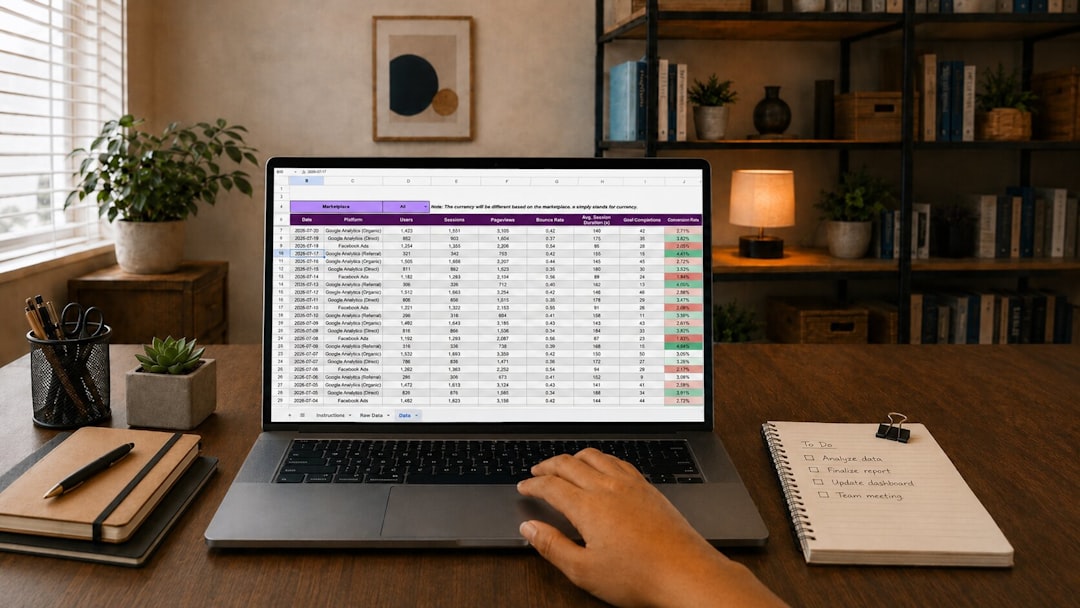
Before you launch, test your rules. Use real records. Pick a mix of small, medium, and large revenue values.
Ask simple questions:
- Do the scores look right?
- Are top accounts getting high scores?
- Are tiny accounts getting lower scores?
- Are any records falling into the wrong range?
- Are missing values handled correctly?
Testing is where you find the banana peels. It is better to slip in a test file than in front of your whole team.
Step 7: Review and Adjust
Your business will change. Prices change. Customers change. Your revenue ranges should change too.
Review your scoring rules every few months. You do not need to rebuild everything. Just check if the ranges still make sense.
For example, maybe $50,000 used to be a large customer. Now it is normal. That range may need a lower score. Or maybe your company moved upmarket. Now you need a new enterprise tier.
A good review includes:
- Recent revenue data.
- Sales team feedback.
- Customer success feedback.
- Win rates by score.
- Customer value by score.
If high-scoring leads never buy, something is wrong. If low-scoring customers become your best customers, something is also wrong. The score should reflect reality. Not wishful thinking in a shiny hat.
Common Mistakes to Avoid
Here are the big traps:
- Too many ranges: Five ranges are often enough. Fifty ranges are a spreadsheet jungle.
- Overlapping ranges: Each revenue number should fit one range only.
- No fallback rule: Missing revenue must have a plan.
- Random scores: Scores should follow business logic.
- Never updating rules: Old rules can become stale bread.
A Simple Final Example
Let us build one complete scoring model.
- Revenue field: Annual contract value.
- Goal: Rank sales opportunities.
- Score scale: 0 to 100.
| Annual Contract Value | Revenue Score |
|---|---|
| Missing or invalid | 0 |
| $0 to $4,999 | 10 |
| $5,000 to $19,999 | 25 |
| $20,000 to $74,999 | 50 |
| $75,000 to $149,999 | 75 |
| $150,000 and above | 100 |
This is clear. It is easy to explain. It gives strong deals a strong score. It also handles missing data.
Final Thoughts
Revenue range scoring is not scary. It is just sorting money into buckets and giving each bucket points. The trick is to keep the buckets clean.
Define your revenue number. Build simple ranges. Assign fair scores. Handle weird data. Test everything. Then review it often.
Do that, and your scoring system will help people move faster. It will make priorities clearer. It may even make your reports less boring. That is a win.