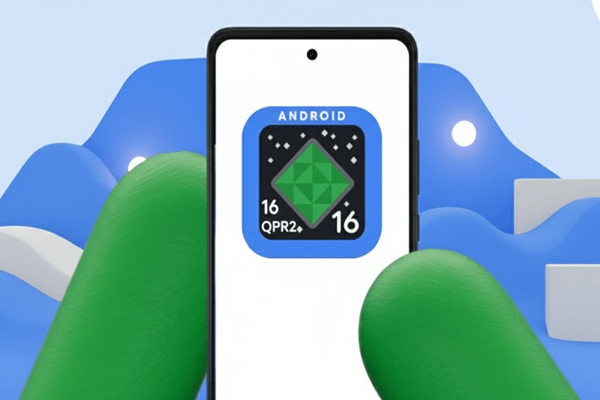
Google has officially started rolling out the Android 16 QPR2 update for Pixel smartphones. This is one of the most important quarterly updates for Android users because it brings many new features, better performance, a cleaner design, and more security improvements. The update also highlights Google’s new strategy of offering faster and more frequent software updates, instead of waiting for one big OS release every year.
Android 16 QPR2 (Quarterly Platform Release 2) is now available for several Pixel models, and users can check for it through the regular system update settings.
List of Pixel Devices Getting the Android 16 QPR2 Update
Google has rolled out the update for a wide range of Pixel phones and tablets. Supported devices include:
-
Pixel 6, Pixel 6 Pro, Pixel 6a
-
Pixel 7, Pixel 7 Pro, Pixel 7a
-
Pixel 8, Pixel 8 Pro
-
Pixel 9 series
-
Pixel 10 and Pixel 10 Pro
-
Pixel Fold
-
Pixel Tablet
If you own any of these devices, you can download the update right away once it appears on your phone.
Top Features in Android 16 QPR2
The update focuses on usability, customization, and security. Here are the biggest changes you will notice after updating your Pixel device:
1. New Home Screen Icon Styles
Android 16 QPR2 adds new icon shapes to help users customize their home screen more easily. You can now choose from several icon styles for both apps and folders. If an app does not have a themed icon, Google’s system can automatically create a matching icon so your home screen looks clean and consistent.
This is especially useful for users who love minimal and uniform designs.
2. Improved Dark Mode
The dark mode feature has been updated to work more smoothly. Many apps that do not support dark mode by default can now appear in dark mode automatically. This reduces eye strain, saves battery life on OLED screens, and gives the whole phone a more modern appearance.
3. Lock Screen Widgets Return
One of the most useful additions in Android 16 QPR2 is the return of lock-screen widgets. Users can now swipe left on the lock screen to see a widget page. You can add widgets such as:
-
Weather
-
Calendar events
-
Reminders
-
Notes
-
Fitness data
The new widget picker makes it easier to customize what you want to see without unlocking your phone.
4. Smarter Notification System
The notification panel has been redesigned with a new notification organizer. It automatically separates high-priority notifications (messages, calls, reminders) from low-priority ones (promotions, news, social media alerts). This keeps your notification shade cleaner and makes important alerts easier to find.
Users who receive a lot of notifications will notice a big improvement in daily use.
5. Better Performance and Less Battery Usage
Google has introduced a new system-level memory and garbage-collection engine. In simple words, the phone can now manage background apps more efficiently. This leads to:
-
Faster app launches
-
Smoother multitasking
-
Reduced battery drainage
-
Better performance on older Pixel devices
Many users will feel that their phone is running faster after the update.
6. Better Security and New Protections
Security is always a key focus for Android updates. In QPR2, Google has added:
-
Improved SMS OTP protection
-
Better app-installation verification
-
December 2025 security patch
-
Stronger privacy controls
These upgrades help protect users from malware, fake apps, and OTP-related scams.
7. Improvements to Media and Connectivity
Android 16 QPR2 brings smoother audio and video playback. It also improves support for:
-
Bluetooth LE Audio
-
Spatial audio
-
Better device pairing
-
Stability during long calls
This update is also easier on Bluetooth battery usage.
Why Android 16 QPR2 Matters
This release marks Google’s new approach to Android development. Instead of waiting for one major update every year, Pixel users will now get regular feature updates every few months. This means:
-
More features
-
Less waiting
-
Faster security patches
-
Smoother Android experience
Google is trying to solve the problem of slow updates on many Android phones, and frequent QPR updates are the first step.
How to Install the Update
Pixel users can install the update easily:
-
Open Settings
-
Go to System
-
Tap System Update
-
Select Check for Update
-
Download and restart your phone
Make sure your device has enough battery or is connected to a charger.
Final Words
Android 16 QPR2 is a major improvement for Pixel phones. With new customization tools, lock-screen widgets, better dark mode, smarter notifications, and stronger security, this update makes the Pixel experience smoother and more enjoyable.
Google’s move toward faster updates also promises a better future for Android users. If you have a supported Pixel device, this is an update you should not miss.