Building a website in 2026 is easier than ever. You don’t need to touch a single line of code. You don’t need to hire a developer. And you don’t need to be “techy.” Today’s website builders are smart, fast, and beginner-friendly. Many of them even use AI to help you design your site in minutes.
TL;DR: The best website builders for beginners in 2026 are simple, affordable, and powered by AI. Wix, Squarespace, Shopify, Webflow, Hostinger, and GoDaddy lead the pack. They offer drag-and-drop editing, ready-made templates, and built-in tools for SEO and marketing. If you want something quick and easy, Wix or Hostinger are great picks. If you want sleek design, try Squarespace.
Let’s explore the best options. We’ll keep it simple. No jargon. No fluff.
What Makes a Website Builder Great for Beginners?
Before we jump into the list, let’s talk about what really matters.
- Drag-and-drop editor – Move things around easily.
- AI tools – Let artificial intelligence build layouts for you.
- Beautiful templates – Start with a professional design.
- Built-in hosting – No separate hosting headaches.
- Easy SEO tools – Get found on Google.
- Affordable pricing – No shocking bills.
If a builder checks most of these boxes, you’re in good shape.

1. Wix – Best All-Around Beginner Builder
Wix continues to dominate in 2026. Why? Because it makes everything simple.
When you sign up, Wix asks a few questions. Then its AI website generator builds a custom site for you. In minutes.
Why beginners love Wix:
- True drag-and-drop freedom
- 800+ templates
- Built-in SEO setup checklist
- App marketplace for extra features
- Free plan available
You can tweak anything. Fonts. Colors. Images. Layout. Just click and move things around.
Best for: Personal websites, freelancers, small businesses.
2. Squarespace – Best for Stunning Designs
If you care about looks, Squarespace is your friend.
Its templates are sleek. Modern. Clean. Perfect for portfolios and creative brands.
Squarespace is slightly less flexible than Wix. But that’s actually good for beginners. It keeps you from breaking your design.
Top features:
- Designer-level templates
- Built-in blogging tools
- Email marketing included
- Scheduling tools
- Strong mobile optimization
Everything looks polished right away.
Best for: Photographers, bloggers, artists, consultants.
3. Shopify – Best for Selling Online
Want to start an online store? Shopify makes it easy.
You don’t need technical skills. You can add products, set prices, and accept payments in one afternoon.
Shopify handles:
- Inventory tracking
- Secure checkout
- Shipping integrations
- Tax calculations
- Abandoned cart recovery
In 2026, Shopify’s AI tools even help write product descriptions for you.
It’s powerful. Yet beginner-friendly.
Best for: E-commerce stores, dropshipping, product-based brands.

4. Hostinger Website Builder – Best Budget Option
Hostinger is perfect if you’re starting small.
It’s affordable. Very affordable. But it still comes packed with features.
Its AI builder can:
- Create full websites in minutes
- Write content
- Generate logos
- Suggest SEO improvements
The interface is clean and simple. You won’t feel overwhelmed.
Best for: Side projects, students, tight budgets.
5. GoDaddy Website Builder – Fastest Setup
If speed matters most, GoDaddy wins.
You can go from zero to live in under an hour.
Answer a few questions. Pick a style. Done.
It’s not the most customizable platform. But it’s very straightforward.
Strong points:
- Quick setup wizard
- Simple interface
- Integrated marketing tools
- Social media management
Best for: Local businesses, service providers, simple sites.
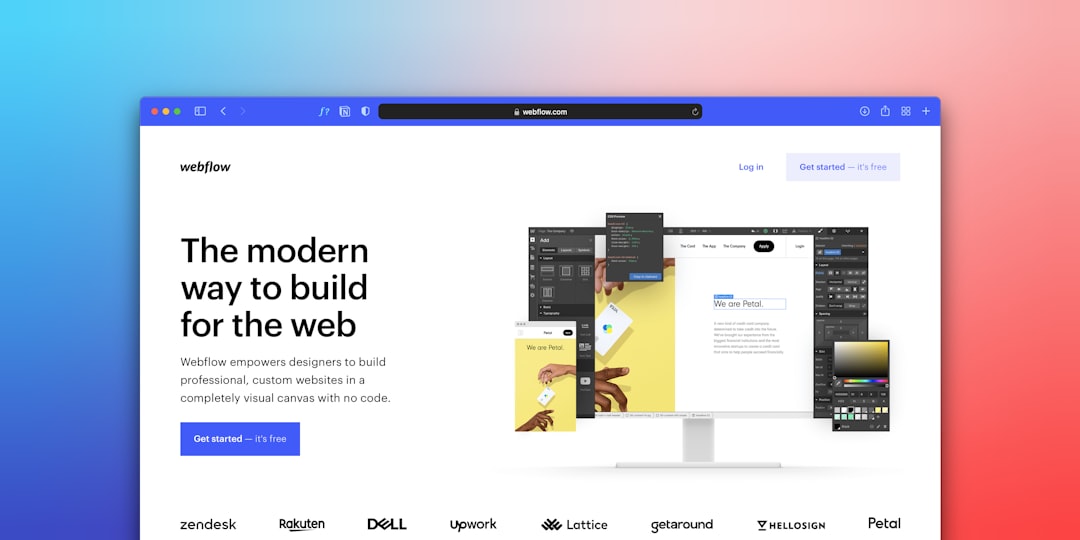
6. Webflow – Beginner-Friendly Power
Webflow used to scare beginners. Not anymore.
In 2026, Webflow has introduced guided modes and AI layout suggestions.
You get more design control. But without code.
It’s slightly more advanced than Wix or Squarespace. But it gives you room to grow.
Best for: Startups, tech brands, people who want more control.
Quick Comparison Chart
| Website Builder | Best For | Ease of Use | Free Plan | E-commerce | Starting Price |
|---|---|---|---|---|---|
| Wix | All-around use | Very Easy | Yes | Yes | Affordable |
| Squarespace | Design-focused sites | Easy | No | Yes | Moderate |
| Shopify | Online stores | Easy | No | Excellent | Higher |
| Hostinger | Budget projects | Very Easy | No | Basic | Very Low |
| GoDaddy | Quick websites | Very Easy | Yes | Basic | Affordable |
| Webflow | Advanced flexibility | Medium | Yes | Yes | Moderate |
How to Choose the Right One
Still unsure? Ask yourself a few simple questions.
- Are you selling products? → Shopify
- Want total design freedom? → Wix
- Care most about aesthetics? → Squarespace
- On a tight budget? → Hostinger
- Need something super fast? → GoDaddy
- Want room to scale? → Webflow
Don’t overthink it.
Most builders offer free trials. Play with them. Click around. See what feels comfortable.
AI Is Changing the Game
In 2026, AI does a lot of the heavy lifting.
Modern website builders now:
- Write copy for you
- Create page layouts
- Suggest images
- Improve SEO automatically
- Optimize for mobile instantly
This means you focus on ideas. Not tech.
It also means beginners can build professional websites that look agency-made.
Final Thoughts
There’s never been a better time to build a website.
You don’t need coding skills. You don’t need a big budget. You don’t even need much time.
With platforms like Wix, Squarespace, Shopify, Hostinger, GoDaddy, and Webflow, anyone can launch a site in 2026.
Start simple.
Pick a builder.
Customize your template.
Hit publish.
That’s it.
Your online presence is just a few clicks away.
The hardest part? Getting started.
So start today.