Choose Framer if your interactive homepage needs to feel like a polished product demo fast; choose Webflow if the homepage must scale into a full marketing site with CMS, SEO controls, and team handoff. Webflow is the safer pick for content-rich companies, especially since Webflow says more than 300,000 businesses use its platform [source: Webflow]. Framer is sharper for visual speed, landing page experiments, and motion-heavy hero sections that need to impress on day one.
TLDR: Framer wins when a startup wants a high-touch homepage with scroll effects, animated sections, and a quick publish cycle. Webflow wins when a team needs structured content, forms, SEO settings, reusable components, and a site that will grow past the homepage. For example, a SaaS team testing two hero concepts could build and publish a Framer version in 2 days, then compare it against a Webflow version that takes 4 days but supports 20 blog posts, 6 case studies, and cleaner content updates. If your main metric is demo clicks, Framer may get you testing sooner; if your site has to support organic traffic growth, Webflow usually has the stronger base.
What “interactive homepage” really means
An interactive homepage is not just a page with a moving button. It blends motion, scrolling, hover states, product previews, forms, video, personalization, and strong calls to action. The goal is simple: make visitors understand the offer faster and act with less friction.
Both Webflow and Framer can build slick homepages. The difference sits in how each tool thinks. Framer feels closer to designing a clickable prototype that can become a live site. Webflow feels closer to building a visual front end with strong publishing controls.
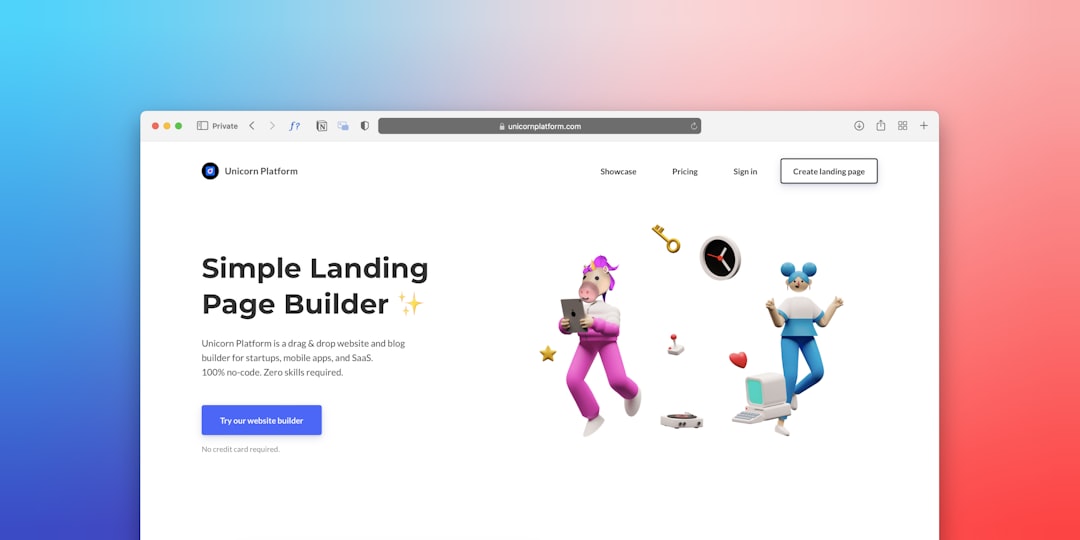
Framer: best for speed, polish, and expressive motion
Framer is a favorite among product designers for a reason. It makes animated layouts feel natural. You can create a responsive homepage, add hover effects, build sticky sections, and ship it without writing much code. If your homepage needs product screenshots sliding into place, cards reacting to cursor movement, or a bold hero that feels premium, Framer gets you there quickly.
The editing experience is also friendly. Designers who already know Figma usually feel at home. Framer’s canvas-first approach makes layout work feel direct. You drag, adjust, preview, and publish. That matters when a founder wants three homepage options before Friday.
Framer is especially good for:
- Startup landing pages with strong product storytelling.
- Portfolio homepages where animation and style carry the brand.
- Campaign pages that need to go live fast.
- Product teasers with smooth scroll sections and visual reveals.
- Design-led teams that do not want a heavy build process.
The catch is that Framer can feel thin when the site grows. Its CMS exists, and it is useful, but Webflow still feels more mature for larger content systems. If your homepage connects to dozens of case studies, blog categories, resource pages, gated forms, and team workflows, Framer may start feeling tight.
Webflow: best for structured sites and marketing teams
Webflow is not just a homepage builder. It is a visual web design platform with a serious CMS, detailed style controls, custom forms, reusable components, SEO fields, redirects, localization options, and strong client handoff tools. That makes it better for homepages that sit inside a bigger growth plan.
Want a homepage that pulls in the latest three case studies? Easy. Want a testimonial carousel fed from CMS items? Also easy. Want marketing staff to update headlines without touching layout? Webflow handles that well.
Webflow is especially good for:
- B2B websites with service pages, forms, and case studies.
- SEO-focused homepages that support blog and resource hubs.
- Agency builds where clients need editing access.
- Companies with brand systems and strict design rules.
- Sites that need clean CMS relationships and repeatable pages.
Honestly, it feels annoying that Webflow can take a bit longer for simple visual flourishes. Something that feels like a 30-second interaction in Framer can become five minutes of class naming, wrapper divs, and animation settings in Webflow. That extra structure pays off later, but it can slow the first build.

Design freedom and animation
For pure visual play, Framer has the edge. Its effects feel closer to a design tool than a web builder. It is quick to test motion, layer sections, and create homepage moments that feel custom.
Webflow also has strong interaction tools. You can build scroll-triggered animations, hover effects, page load sequences, parallax sections, and complex states. The difference is effort. Webflow gives you more control, but that control comes with more setup.
If your homepage animation must be highly exact, Webflow may be worth the extra time. If your team wants to try five animation styles before lunch, Framer feels lighter.
SEO, performance, and content
Webflow usually wins on SEO workflows. It gives teams clear control over titles, meta descriptions, alt text, canonical tags, URL structures, redirects, sitemaps, and CMS-driven SEO fields. Framer has SEO settings too, and they are improving, but Webflow feels more complete for content-heavy websites.
Performance depends on how you build. A homepage packed with huge videos, heavy scripts, and oversized images will suffer in either tool. Google’s Core Web Vitals focus on loading speed, interactivity, and visual stability [source: Google]. That means your design choices matter as much as your platform.
A smart rule: keep the homepage impressive, but not bloated. Compress images. Limit auto-playing video. Use motion to guide attention, not to show off. Visitors do not care how clever the animation is if the page takes 6 seconds to load.
Ease of use for teams
Framer is easier for designers and founders who want speed. The learning curve is gentle if you understand modern layout tools. Publishing is simple. Editing is direct. It feels good for small teams.
Webflow takes longer to learn. Classes, symbols, breakpoints, CMS collections, and interactions can confuse beginners. But for serious teams, that learning curve creates order. Agencies love Webflow because projects can be organized, documented, and handed to clients with fewer surprises.
Expect to waste time on naming conventions in Webflow if your team is careless. “Card 12 copy final new” is not a system. Framer can get messy too, but Webflow punishes messy structure more over time.
Pricing and value
Pricing changes often, so compare current plans before committing. In practical terms, Framer can feel more affordable for a single landing page or early startup site. Webflow can cost more once you add CMS, workspace needs, localization, and client collaboration.
Still, value is not just monthly cost. If Webflow saves your marketing team 10 hours per month on content updates, it may be cheaper in the long run. If Framer helps you launch a campaign 5 days earlier, that speed may be worth more than CMS depth.

Which one should you choose?
Pick Framer if:
- Your homepage is the main product pitch.
- You want rich motion with less setup.
- You need to publish quickly.
- Your team is design-led and small.
- You are testing positioning, offers, or campaign ideas.
Pick Webflow if:
- Your homepage is part of a larger site.
- You need a serious CMS.
- SEO content matters to your growth plan.
- Clients or marketers need safe editing access.
- You care about long-term site structure.
Final verdict
Framer is the better choice for a visually striking interactive homepage that needs to launch fast. Webflow is the better choice for an interactive homepage that must support content, search, forms, and future growth. Neither tool is “better” for everyone. The right answer depends on what happens after the homepage goes live.
If you are building a punchy launch page, start with Framer. If you are building the front door to a serious marketing site, start with Webflow. That simple split will save you weeks of second-guessing.