
Podcasts are like radio shows you can carry in your pocket. You can listen while you walk, cook, clean, drive, work out, or pretend to fold laundry. The best part? You do not need fancy gear. If you have a phone, tablet, computer, smart speaker, car stereo, or even a web browser, you are ready.
TLDR: To listen to a podcast, open a podcast app, search for a show, tap an episode, and press play. For example, a commuter with a 30-minute bus ride could finish one short news podcast every morning. Around 42% of Americans age 12 and older listen to podcasts monthly, so you are joining a very normal, very chatty club. You can listen on almost any device, and most podcasts are free.
What Is a Podcast?
A podcast is an audio show. It comes in episodes. Some shows are about crime. Some are about comedy. Some teach history, money, sports, science, business, parenting, or how to keep houseplants alive.
Think of it like a TV series, but for your ears. You pick a show. Then you choose an episode. Then you listen whenever you want. No schedule. No waiting by the radio. No rush.
Some podcasts are short, like 5 minutes. Others are very long, like 2 hours. You are in control. You can pause, rewind, skip, or save episodes for later.

1. Listen on an iPhone
If you have an iPhone, the easiest way is the Apple Podcasts app. It is often already on your phone.
- Open the Podcasts app.
- Tap Search.
- Type a topic, host, or show name.
- Tap a show that looks fun.
- Tap an episode.
- Press Play.
Want more episodes to appear later? Tap Follow. This is like subscribing, but usually free. New episodes will show up in your library.
Quick tip: Use the download button if you want to listen without Wi-Fi. This is great for flights, subway rides, and places where the signal acts like a sleepy turtle.
2. Listen on an Android Phone
Android phones have several good podcast apps. Popular choices include Spotify, YouTube Music, Pocket Casts, and Podcast Addict.
Here is the basic plan:
- Open your podcast app.
- Use the search bar.
- Look for a show or topic.
- Tap an episode.
- Hit Play.
That is it. Really. If you can search for a song, you can search for a podcast.
Many Android apps let you make playlists. You can line up episodes for a road trip, gym session, or Sunday cleaning spree. Cleaning is still boring, but at least your ears get a party.
3. Listen on Spotify
Spotify is not just for music. It has tons of podcasts too. Some are only on Spotify. Others are available everywhere.
- Open Spotify.
- Tap Search.
- Type the podcast name or a topic.
- Tap Podcasts & Shows if you see that option.
- Choose a show.
- Tap an episode and press Play.
You can also tap Follow on a show. Then it will be easier to find later. Spotify may also suggest similar shows. This can be helpful. It can also send you into a podcast rabbit hole. Pack snacks.
4. Listen in a Web Browser
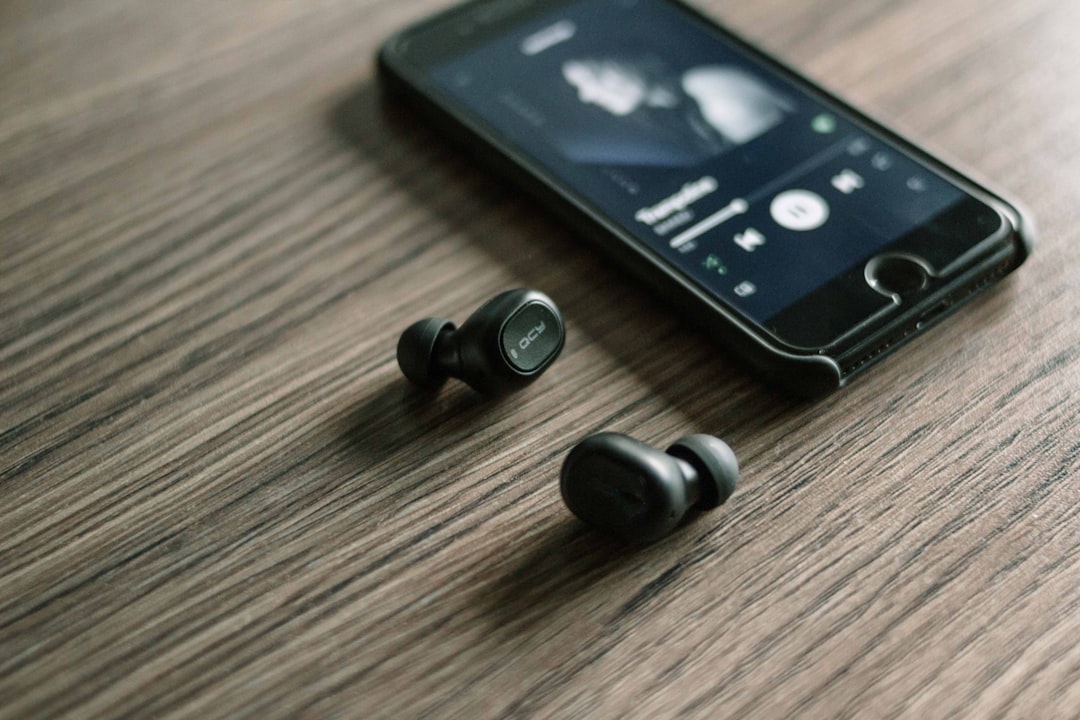
No app? No problem. You can listen in a web browser on your computer, phone, or tablet.
Open Chrome, Safari, Firefox, or Edge. Then search for the podcast name plus the word podcast. For example, search “gardening podcast” or “science podcast for beginners.”
Many podcasts have their own websites. These sites often have a play button right on the episode page. Click it, and the episode starts.
This is a great choice if you do not want to install anything. It is also handy at work, as long as your boss is okay with it. Maybe pick a productivity podcast. That sounds very responsible.
5. Listen on a Smart Speaker
Smart speakers make podcast listening feel a little magical. You can use devices like Amazon Echo, Google Nest, or Apple HomePod.
Try saying:
- “Alexa, play the latest episode of [podcast name].”
- “Hey Google, play a podcast about history.”
- “Siri, play my podcasts.”
If the speaker gets confused, try using the exact show name. Some podcast names sound similar. Your smart speaker is clever, but not a mind reader. Yet.
Smart speakers are perfect for kitchens. You can chop onions and learn about ancient Rome at the same time. Crying from onions now feels educational.
6. Listen in the Car
Podcasts are amazing in the car. They make traffic feel less like a punishment from the universe.
You have a few easy options:
- Bluetooth: Pair your phone with your car stereo.
- USB cable: Plug your phone into the car.
- Apple CarPlay: Use your car screen with your iPhone.
- Android Auto: Use your car screen with your Android phone.
- Aux cable: Old school, but still useful.
Before you drive, start the episode or make a playlist. Do not scroll while driving. Your podcast can wait. So can that ad for meal kits.
Bonus tip: Download episodes before a long trip. This saves mobile data and helps when you drive through areas with weak signal.
7. Listen on a Tablet, Laptop, or Desktop
Tablets and computers are great for podcast listening at home. You can use apps or websites.
On a tablet, use the same apps as your phone. Try Apple Podcasts, Spotify, YouTube Music, or another podcast app.
On a laptop or desktop, visit a podcast website or use a web player. Spotify also works in a browser. Many newspapers, radio stations, and media companies have podcast pages with built-in audio players.
This setup is good if you like listening while doing chores, crafting, studying, gaming, or answering emails. Just be careful with true crime podcasts at night. Suddenly every tiny house noise becomes “a clue.”
How to Find a Podcast You Will Like
Start with what you already enjoy. Love movies? Search for movie podcasts. Want to learn Spanish? Search for beginner Spanish podcasts. Need help sleeping? Try sleep stories or calm audio shows.
Here are easy search ideas:
- “best comedy podcasts”
- “short news podcast”
- “podcast for beginners about money”
- “true crime podcast”
- “kids science podcast”
Look at the episode titles. Read the show description. Check the episode length. Then try one. If you do not like it, leave. There is no podcast police.
Useful Podcast Buttons to Know
Podcast apps have simple controls. Here are the main ones:
- Play: Starts the episode.
- Pause: Stops it for now.
- Rewind: Goes back a few seconds.
- Fast forward: Skips ahead.
- Download: Saves the episode to your device.
- Follow: Adds the show to your library.
- Speed: Makes voices faster or slower.
Speed control is fun. At 1.2x, people sound a little efficient. At 2x, they sound like caffeinated squirrels. Use with care.
Are Podcasts Free?
Most podcasts are free. They often include ads. Some shows offer paid bonus episodes, early access, or ad-free feeds. You do not need to pay unless you want those extras.
If you are new, start free. Explore a few shows. Follow the ones you like. Delete the ones that make you bored, annoyed, or suddenly interested in alphabetizing your socks.
Final Tips for Happy Listening
- Use headphones in public places.
- Download episodes before travel.
- Try shorter episodes first.
- Follow shows you enjoy.
- Use playlists for long drives.
- Try different genres.
Listening to a podcast is easy. Pick a device. Open an app or website. Search for something interesting. Press play. That is the whole magic trick.
Now your walks can be smarter. Your chores can be funnier. Your commute can be less dull. And your ears can have their own little adventure, anytime you want.